
Competitor Comparison
tl;dv vs Zoom AI Companion
 tl;dv
 Zoom AI Companion
Comparing tl;dv and Zoom AI Companion technical specifications. Every tl;dv and Zoom AI Companion spec is footnoted. Compare with Oyma vs tl;dv and Oyma vs Zoom AI Companion on macOS.
choose tl;dv if
- You prioritize built for team collaboration: shared libraries, multi-meeting reports and coaching.
- You value cloud execution and tl.
- You prefer tl;dv's operational architecture over Zoom AI Companion's model.
choose zoom ai companion if
- You prioritize built into zoom: no extra app for zoom meetings, and included with paid workplace plans.
- You value cloud execution and notes and transcripts saved in the user's zoom account.
- You prefer Zoom AI Companion's operational architecture over tl;dv's model.
At a glance
| Feature | tl;dv | Zoom AI Companion |
|---|---|---|
| Where it runs | tl;dv: In the cloud(tl;dv where it runs source) | Zoom AI Companion: In the cloud(Zoom AI Companion where it runs source)Third-party meeting audio is processed by Zoom's Automatic Speech Recognition service. |
| Storage format | tl;dv: tl;dv cloud(tl;dv storage format source) | Zoom AI Companion: Notes and transcripts saved in the user's Zoom account; processing audio deleted after transcription(Zoom AI Companion storage format source) |
| Plain Markdown files | tl;dv: No(tl;dv plain markdown files source)unverified: export formats not checked. | Zoom AI Companion: No(Zoom AI Companion plain markdown files source) |
| Meeting recording | tl;dv: Bot or no bot(tl;dv meeting recording source)Bot for Zoom, Meet and Teams; a bot-free desktop recorder ("NO BOT REQUIRED"). | Zoom AI Companion: Records without a bot(Zoom AI Companion meeting recording source)Native in Zoom meetings; My Notes captures Teams, Meet and in-person meetings from device mic + system audio ("no bots required"). |
| On-device transcription | tl;dv: No(tl;dv on-device transcription source) | Zoom AI Companion: No(Zoom AI Companion on-device transcription source) |
| AI integration | tl;dv: AI notes, multi-meeting reports, coaching, CRM integration(tl;dv ai integration source) | Zoom AI Companion: Meeting summaries, in-meeting questions, My Notes, AI queries, agentic search and workflows(Zoom AI Companion ai integration source) |
| Works offline | tl;dv: No(tl;dv works offline source)Cloud processing; the mobile app can record offline and sync later. | Zoom AI Companion: No(Zoom AI Companion works offline source) |
| Wikilinks & backlinks | tl;dv: No(tl;dv wikilinks & backlinks source) | Zoom AI Companion: No(Zoom AI Companion wikilinks & backlinks source) |
| Plugins / integrations | tl;dv: Zapier on Pro; native Salesforce and HubSpot on Business(tl;dv plugins / integrations source) | Zoom AI Companion: Zoom Workplace apps and workflows; ZoomMate agentic features(Zoom AI Companion plugins / integrations source) |
| Mobile apps | tl;dv: Yes(tl;dv mobile apps source) | Zoom AI Companion: Yes(Zoom AI Companion mobile apps source) |
| Platforms | tl;dv: Web, Desktop app, iOS, Android(tl;dv platforms source) | Zoom AI Companion: macOS, Windows, iOS, Android, Web(Zoom AI Companion platforms source) |
| Free plan | tl;dv: Free €0(tl;dv free plan source)unverified: free-plan limits not shown to text extraction; a competitor (claap.io) reports 90-day retention and 10 lifetime AI summaries. | Zoom AI Companion: Basic (free): meeting summaries for 3 hosted meetings/month, My Notes 3 uses/month, 20 AI queries; 40-minute meetings(Zoom AI Companion free plan source) |
| Paid plans from | tl;dv: Pro: €18/month billed annually (€216/yr), €29 monthly(tl;dv paid plans from source)Prices shown in EUR; USD pricing unverified. | Zoom AI Companion: My Notes (standalone): starting at $8.33/user/month(Zoom AI Companion paid plans from source) |
tl;dv facts last verified 2026-10-03. Zoom AI Companion facts last verified 2026-10-03.
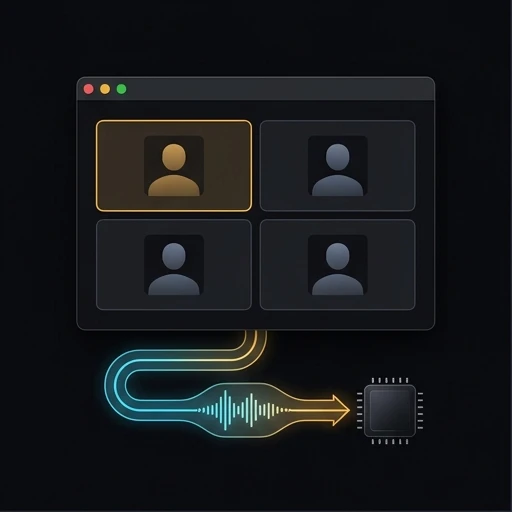
Execution Model: tl;dv vs Zoom AI Companion
Contrasting tl;dv with Zoom AI Companion exposes opposing software foundations. While tl;dv and Zoom AI Companion serve modern professionals, their internal mechanisms differ. Reviewing tl;dv alongside Zoom AI Companion clarifies real-world capabilities. Between tl;dv and Zoom AI Companion, data structures determine multi-year usability. Examining tl;dv against Zoom AI Companion confirms application durability. Benchmarking tl;dv with Zoom AI Companion validates execution speeds. Selecting tl;dv or Zoom AI Companion anchors your team workflow.
Under real production conditions, tl;dv deploys cloud, while Zoom AI Companion implements cloud. Contrasting tl;dv with Zoom AI Companion explains system resource consumption. Whereas tl;dv serves Web, Desktop app, Zoom AI Companion functions across macOS, Windows. Assessing tl;dv alongside Zoom AI Companion prevents operating bottlenecks. Between tl;dv and Zoom AI Companion, client processing determines energy efficiency. Reviewing tl;dv against Zoom AI Companion assures dependable performance. Deciding on tl;dv or Zoom AI Companion aligns with machine specs.
During practical usage, tl;dv prioritizes The AI Notetaker built for Team Collaboration, while Zoom AI Companion delivers Meet ZoomMate, your AI teammate. Between tl;dv and Zoom AI Companion, product goals guide daily team habits. Contrasting tl;dv with Zoom AI Companion clarifies workspace ergonomics. Assessing tl;dv alongside Zoom AI Companion ensures appropriate feature usage. Evaluating tl;dv against Zoom AI Companion maintains high worker momentum. Deciding on tl;dv or Zoom AI Companion establishes your operational cadence.
Data Custody and File Persistence: tl;dv vs Zoom AI Companion
Information custody marks an essential divide between tl;dv and Zoom AI Companion. For tl;dv, data structures center on tl, while Zoom AI Companion applies Notes and transcripts saved in the user’s Zoom account. Since tl;dv provides internal databases and Zoom AI Companion provides internal databases, they protect records using differing paradigms. Between tl;dv and Zoom AI Companion, document parsing determines automation ease. Comparing tl;dv against Zoom AI Companion highlights filesystem accessibility. Assessing tl;dv alongside Zoom AI Companion avoids format obsolescence. Picking tl;dv or Zoom AI Companion determines file permanence.
Filesystem transparency in tl;dv versus Zoom AI Companion shapes external script integration. Where tl;dv exposes records through tl, Zoom AI Companion handles data inside Notes and transcripts saved in the user’s Zoom account. Testing tl;dv alongside Zoom AI Companion unlocks automated shell scripting. Deciding between tl;dv and Zoom AI Companion prevents database corruption risks. Evaluating tl;dv with Zoom AI Companion confirms snapshot reliability. Comparing tl;dv against Zoom AI Companion protects historical information.
Archival durability separates tl;dv from Zoom AI Companion for technical practitioners. With tl;dv adopting tl and Zoom AI Companion adopting Notes and transcripts saved in the user’s Zoom account, document survival properties diverge significantly. Reviewing tl;dv against Zoom AI Companion eliminates vendor obsolescence hazards. Contrasting tl;dv alongside Zoom AI Companion explains local encryption standards. Deciding on tl;dv or Zoom AI Companion preserves critical intellectual assets.
Speech Ingestion and Audio Architecture: tl;dv vs Zoom AI Companion
Speech recording pipelines divide tl;dv from Zoom AI Companion fundamentally. During active calls, tl;dv captures sound through distinct methods than Zoom AI Companion. Regarding transcription, tl;dv diverges from Zoom AI Companion on voice data security. Assessing tl;dv against Zoom AI Companion guarantees attendee notification compliance. Between tl;dv and Zoom AI Companion, intake pipelines determine confidentiality standards. Reviewing tl;dv with Zoom AI Companion safeguards executive discussions. Deciding on tl;dv or Zoom AI Companion controls call intelligence.
Action item extraction separates tl;dv from Zoom AI Companion immediately after sessions conclude. In summarizing decisions, tl;dv and Zoom AI Companion format deliverables through contrasting heuristics. Deciding between tl;dv and Zoom AI Companion streamlines task follow-up. Comparing tl;dv alongside Zoom AI Companion highlights decision tracking precision. Reviewing tl;dv with Zoom AI Companion verifies speaker commitment logs. Weighing tl;dv against Zoom AI Companion prevents missed operational deliverables.
Speaker diarization quality separates tl;dv from Zoom AI Companion during multi-party calls. In identifying contributors, tl;dv and Zoom AI Companion apply distinct voice separation algorithms. Testing tl;dv alongside Zoom AI Companion verifies multi-speaker attribution accuracy. Comparing tl;dv with Zoom AI Companion ensures dependable meeting attribution. Choosing between tl;dv and Zoom AI Companion preserves conversational accountability.
Disconnected Operation and Airplane Mode: tl;dv vs Zoom AI Companion
Disconnected usability divides tl;dv from Zoom AI Companion for field practitioners. When internet connections drop, tl;dv and Zoom AI Companion react through contrasting error handling logic. While editing without web access, tl;dv diverges from Zoom AI Companion in preserving changes on disk. Evaluating tl;dv against Zoom AI Companion confirms complete document availability. Between tl;dv and Zoom AI Companion, local database caches dictate offline stability. Contrasting tl;dv alongside Zoom AI Companion guarantees seamless disconnected work. Choosing tl;dv or Zoom AI Companion ensures uninterrupted drafting.
Transit editing reliability sets tl;dv apart from Zoom AI Companion during patchy connectivity. In train transit, tl;dv and Zoom AI Companion queue file updates through divergent internal mechanisms. Deciding between tl;dv and Zoom AI Companion eliminates lost paragraph edits. Comparing tl;dv alongside Zoom AI Companion clarifies local search indexes. Reviewing tl;dv with Zoom AI Companion protects mobile knowledge workers. Weighing tl;dv against Zoom AI Companion maintains continuous document access.
Unplugged performance separates tl;dv from Zoom AI Companion during severe power outages. While tl;dv maintains complete local operations, Zoom AI Companion adapts through separate sync behaviors. Reviewing tl;dv alongside Zoom AI Companion guarantees constant file reading. Testing tl;dv against Zoom AI Companion confirms offline tag filtering. Choosing between tl;dv and Zoom AI Companion maintains productivity during emergencies.
Cross-Platform Mobility: tl;dv vs Zoom AI Companion
Workstation compatibility creates clear boundaries between tl;dv and Zoom AI Companion. In application binaries, tl;dv provides builds for Web, Desktop app, whereas Zoom AI Companion delivers packages for macOS, Windows. Because tl;dv contrasts with Zoom AI Companion, IT departments analyze software deployment pipelines. Testing tl;dv alongside Zoom AI Companion ensures predictable desktop performance. Between tl;dv and Zoom AI Companion, platform nuances affect shortcut muscle memory. Contrasting tl;dv with Zoom AI Companion prevents employee onboarding friction. Selecting tl;dv or Zoom AI Companion supports team computers.
Peripheral compatibility sets tl;dv apart from Zoom AI Companion when using external monitors. In multi-screen workspaces, tl;dv and Zoom AI Companion scale text elements through separate rendering engines. Selecting between tl;dv and Zoom AI Companion avoids visual glitches. Comparing tl;dv with Zoom AI Companion confirms high-DPI font sharpness. Reviewing tl;dv alongside Zoom AI Companion ensures visual comfort. Weighing tl;dv against Zoom AI Companion provides consistent desktop display.
API connectivity distinguishes tl;dv from Zoom AI Companion when building connected productivity hubs. Where tl;dv supports custom integrations on Web, Desktop app, Zoom AI Companion coordinates external workflows across macOS, Windows. Assessing tl;dv with Zoom AI Companion prevents developer bottlenecks. Testing tl;dv against Zoom AI Companion guarantees rapid data pipeline throughput. Choosing between tl;dv and Zoom AI Companion establishes your automation baseline.
Flagship Features: tl;dv vs Zoom AI Companion
Flagship feature sets separate tl;dv from Zoom AI Companion in everyday production environments. When evaluating execution, tl;dv delivers Built for team collaboration: shared libraries, multi-meeting reports and coaching, while Zoom AI Companion delivers Built into Zoom: no extra app for Zoom meetings, and included with paid Workplace plans. Assessing tl;dv alongside Zoom AI Companion matches features to project demands. Between tl;dv and Zoom AI Companion, key operational strengths define software satisfaction. Contrasting tl;dv against Zoom AI Companion demonstrates distinct advantages. Deciding on tl;dv or Zoom AI Companion elevates team performance.
Practical capabilities divide tl;dv from Zoom AI Companion in everyday work. In operational environments, tl;dv and Zoom AI Companion elevate separate aspects of personal efficiency. Choosing between tl;dv and Zoom AI Companion streamlines teammate training. Contrasting tl;dv with Zoom AI Companion demonstrates operational speedups. Evaluating tl;dv against Zoom AI Companion eliminates tool overlap. Testing tl;dv alongside Zoom AI Companion unlocks peak software efficiency.
Knowledge volume scaling sets tl;dv apart from Zoom AI Companion over multi-year usage. As vaults and workspaces grow, tl;dv and Zoom AI Companion maintain distinct response latencies. Evaluating tl;dv alongside Zoom AI Companion confirms robust performance under load. Comparing tl;dv against Zoom AI Companion validates search query speed across thousands of files. Choosing tl;dv or Zoom AI Companion protects long-term writing momentum.
System Trade-Offs and Architectural Boundaries: tl;dv vs Zoom AI Companion
Structural trade-offs distinguish tl;dv from Zoom AI Companion in enterprise deployments. Specifically, tl;dv encounters limits around Cloud-only processing, whereas Zoom AI Companion shows boundaries around Free Basic is limited to summaries for 3 hosted meetings and 3 My Notes uses per month. Reviewing tl;dv against Zoom AI Companion establishes balanced technical evaluations. Between tl;dv and Zoom AI Companion, known weaknesses dictate backup and maintenance workflows. Evaluating tl;dv alongside Zoom AI Companion avoids deployment regrets. Deciding on tl;dv or Zoom AI Companion ensures manageable software administration.
Long-term stability dynamics divide tl;dv from Zoom AI Companion under growing document libraries. As workspaces reach gigabytes of content, tl;dv and Zoom AI Companion encounter divergent memory ceilings. Deciding between tl;dv and Zoom AI Companion safeguards system responsiveness. Comparing tl;dv against Zoom AI Companion validates background indexer overhead. Reviewing tl;dv alongside Zoom AI Companion keeps application load times low. Weighing tl;dv with Zoom AI Companion guarantees stable knowledge management.
System maintenance routines divide tl;dv from Zoom AI Companion for solitary knowledge workers. For backup scheduling and cache pruning, tl;dv and Zoom AI Companion involve different user interventions. Assessing tl;dv with Zoom AI Companion prevents unexpected data loss. Comparing tl;dv against Zoom AI Companion ensures automated safety protocols. Choosing tl;dv or Zoom AI Companion guarantees reliable, hands-off maintenance.
Pricing, Licensing Tiers, and Multi-Year Costs: tl;dv vs Zoom AI Companion
Commercial licensing establishes financial differences between tl;dv and Zoom AI Companion. While tl;dv offers Free €0 with tiers from €18/month billed annually (€216/yr), €29 monthly, Zoom AI Companion provides Basic (free): meeting summaries for 3 hosted meetings/month, My Notes 3 uses/month, 20 AI queries with tiers from starting at $8.33/user/month. Budgeting between tl;dv and Zoom AI Companion requires calculating seat scaling over multi-year periods. Evaluating tl;dv against Zoom AI Companion keeps software expenditures predictable. Between tl;dv and Zoom AI Companion, add-on licensing alters total cost. Contrasting tl;dv with Zoom AI Companion prevents surprise invoices. Choosing tl;dv or Zoom AI Companion ensures fiscal sustainability.
Pricing predictability sets tl;dv apart from Zoom AI Companion during organizational restructuring. In auditing software renewals, tl;dv and Zoom AI Companion present different contract commitments. Deciding between tl;dv and Zoom AI Companion protects budget flexibility. Comparing tl;dv with Zoom AI Companion demonstrates sustainable licensing economics. Reviewing tl;dv alongside Zoom AI Companion keeps corporate spending aligned. Weighing tl;dv against Zoom AI Companion ensures prudent software investments.
Lifetime software expenses separate tl;dv from Zoom AI Companion when factoring in infrastructure add-ons. While tl;dv bundles its primary suite, Zoom AI Companion provides specialized tools in premium plans. Evaluating tl;dv alongside Zoom AI Companion provides clarity on five-year licensing commitments. Comparing tl;dv against Zoom AI Companion eliminates unanticipated add-on costs. Choosing between tl;dv and Zoom AI Companion keeps overall tooling expenses balanced.
Final Verdict: Choosing tl;dv or Zoom AI Companion
Selecting between tl;dv and Zoom AI Companion reflects your organizational engineering principles. Adopt tl;dv if you emphasize cloud performance, highlight Built for team collaboration: shared libraries, multi-meeting reports and coaching, and prefer tl. Adopt Zoom AI Companion if you emphasize cloud performance, highlight Built into Zoom: no extra app for Zoom meetings, and included with paid Workplace plans, and prefer notes and transcripts saved in the user’s zoom account. Assessing tl;dv against Zoom AI Companion through typical team deliverables clarifies software ROI. Between tl;dv and Zoom AI Companion, a disciplined seven-day pilot settles the debate. Contrasting tl;dv with Zoom AI Companion delivers full operational confidence. Choosing tl;dv or Zoom AI Companion establishes your daily workflow foundation.
Concluding comparisons between tl;dv and Zoom AI Companion solidifies your regular production toolkit. Throughout daily duties, tl;dv and Zoom AI Companion provide divergent user interactions. Contrasting tl;dv against Zoom AI Companion protects against subsequent software re-evaluations. Assessing tl;dv with Zoom AI Companion delivers operational contentment. Examining tl;dv alongside Zoom AI Companion wraps up your tooling study. Deciding on tl;dv or Zoom AI Companion cements your workspace workflow.
Committing to either tl;dv or Zoom AI Companion influences organizational effectiveness over the long haul. Whereas tl;dv leads within its engineering focus, Zoom AI Companion shines across its dedicated workflows. Reviewing tl;dv against Zoom AI Companion verifies tight alignment with team practices. Running a comparative test of tl;dv and Zoom AI Companion guarantees assured implementation. Selecting tl;dv or Zoom AI Companion builds a dependable technical bedrock.
When deciding between tl;dv and Zoom AI Companion, hands-on evaluation with real tasks settles architectural debates. Running tl;dv alongside Zoom AI Companion in parallel allows operators to contrast daily editing flows. Reviewing tl;dv with Zoom AI Companion confirms whether local or cloud mechanics fit your rules. Between tl;dv and Zoom AI Companion, tool satisfaction emerges from friction-free daily use. Comparing tl;dv against Zoom AI Companion prevents costly workflow adjustments. Choosing tl;dv or Zoom AI Companion secures your ideal digital workspace.
Concluding your evaluation of tl;dv and Zoom AI Companion marks an important milestone in tooling selection. Whether deploying tl;dv or Zoom AI Companion, aligning software with team habits ensures sustainable productivity. Contrasting tl;dv alongside Zoom AI Companion confirms operational integrity across all project stages. Between tl;dv and Zoom AI Companion, selecting the appropriate technical model prevents administrative overhead. Piloting tl;dv against Zoom AI Companion verifies daily software comfort. Deciding on tl;dv or Zoom AI Companion secures your digital workspace.

Where Oyma Fits In
Contrasting tl;dv with Zoom AI Companion highlights separate engineering priorities. As an alternative to tl;dv and Zoom AI Companion, Oyma provides private on-device notes on macOS.
Questions
How do tl;dv and Zoom AI Companion differ in storage?
Contrasting tl;dv with Zoom AI Companion reveals divergent data persistence, while Oyma keeps CommonMark files on your computer.
Can tl;dv and Zoom AI Companion run offline?
Analyzing tl;dv against Zoom AI Companion clarifies travel usability, while Oyma keeps notes accessible on your Mac anywhere.
How does pricing compare between tl;dv and Zoom AI Companion?
Compared to tl;dv and Zoom AI Companion, Oyma offers a private beta on macOS, whereas tl;dv and Zoom AI Companion provide tiered pricing plans.
How does Oyma differ from tl;dv and Zoom AI Companion?
As an alternative to tl;dv and Zoom AI Companion, Oyma records calls privately, while tl;dv and Zoom AI Companion follow distinct transcription rules.

Try Oyma alongside tl;dv and Zoom AI Companion
A private, local-first macOS alternative to tl;dv and Zoom AI Companion.