
Competitor Comparison
tl;dv vs Notion AI Meeting Notes
 tl;dv
 Notion AI Meeting Notes
Comparing tl;dv and Notion AI Meeting Notes technical specifications. Every tl;dv and Notion AI Meeting Notes spec is footnoted. Compare with Oyma vs tl;dv and Oyma vs Notion AI Meeting Notes on macOS.
choose tl;dv if
- You prioritize built for team collaboration: shared libraries, multi-meeting reports and coaching.
- You value cloud execution and tl.
- You prefer tl;dv's operational architecture over Notion AI Meeting Notes's model.
choose notion ai meeting notes if
- You prioritize meeting notes land in the same workspace as team docs, projects and databases.
- You value cloud execution and audio uploaded to and stored on notion servers until deleted.
- You prefer Notion AI Meeting Notes's operational architecture over tl;dv's model.
At a glance
| Feature | tl;dv | Notion AI Meeting Notes |
|---|---|---|
| Where it runs | tl;dv: In the cloud(tl;dv where it runs source) | Notion AI Meeting Notes: In the cloud(Notion AI Meeting Notes where it runs source) |
| Storage format | tl;dv: tl;dv cloud(tl;dv storage format source) | Notion AI Meeting Notes: Audio uploaded to and stored on Notion servers until deleted; the 10 most recent recordings cached locally; notes are Notion pages(Notion AI Meeting Notes storage format source) |
| Plain Markdown files | tl;dv: No(tl;dv plain markdown files source)unverified: export formats not checked. | Notion AI Meeting Notes: No(Notion AI Meeting Notes plain markdown files source) |
| Meeting recording | tl;dv: Bot or no bot(tl;dv meeting recording source)Bot for Zoom, Meet and Teams; a bot-free desktop recorder ("NO BOT REQUIRED"). | Notion AI Meeting Notes: Records without a bot(Notion AI Meeting Notes meeting recording source) |
| On-device transcription | tl;dv: No(tl;dv on-device transcription source) | Notion AI Meeting Notes: No(Notion AI Meeting Notes on-device transcription source) |
| AI integration | tl;dv: AI notes, multi-meeting reports, coaching, CRM integration(tl;dv ai integration source) | Notion AI Meeting Notes: Notion AI summaries, action items and Q&A over meetings and workspace; 16 languages; speaker labels English only(Notion AI Meeting Notes ai integration source) |
| Works offline | tl;dv: No(tl;dv works offline source)Cloud processing; the mobile app can record offline and sync later. | Notion AI Meeting Notes: No(Notion AI Meeting Notes works offline source)Recording uploads to Notion servers. |
| Wikilinks & backlinks | tl;dv: No(tl;dv wikilinks & backlinks source) | Notion AI Meeting Notes: Yes(Notion AI Meeting Notes wikilinks & backlinks source)Meeting notes are Notion pages; [[ links to pages. |
| Plugins / integrations | tl;dv: Zapier on Pro; native Salesforce and HubSpot on Business(tl;dv plugins / integrations source) | Notion AI Meeting Notes: Lives in the Notion workspace: databases, API, Custom Agents(Notion AI Meeting Notes plugins / integrations source) |
| Mobile apps | tl;dv: Yes(tl;dv mobile apps source) | Notion AI Meeting Notes: Yes(Notion AI Meeting Notes mobile apps source) |
| Platforms | tl;dv: Web, Desktop app, iOS, Android(tl;dv platforms source) | Notion AI Meeting Notes: macOS 13+, Windows, Web, iOS, Android(Notion AI Meeting Notes platforms source)System audio only on the desktop app; web and mobile capture the mic only. |
| Free plan | tl;dv: Free €0(tl;dv free plan source)unverified: free-plan limits not shown to text extraction; a competitor (claap.io) reports 90-day retention and 10 lifetime AI summaries. | Notion AI Meeting Notes: Not available on Free or Plus; requires Business or Enterprise(Notion AI Meeting Notes free plan source) |
| Paid plans from | tl;dv: Pro: €18/month billed annually (€216/yr), €29 monthly(tl;dv paid plans from source)Prices shown in EUR; USD pricing unverified. | Notion AI Meeting Notes: Business: $20 per seat/month billed yearly, $24 monthly(Notion AI Meeting Notes paid plans from source) |
tl;dv facts last verified 2026-10-03. Notion AI Meeting Notes facts last verified 2026-10-03.
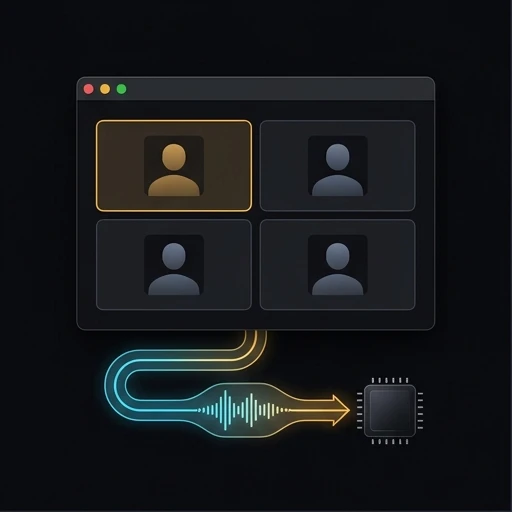
Architecture and System Design: tl;dv vs Notion AI Meeting Notes
Analyzing tl;dv against Notion AI Meeting Notes reveals divergent system choices. While tl;dv and Notion AI Meeting Notes support demanding workloads, their computing models differ fundamentally. Assessing tl;dv alongside Notion AI Meeting Notes illuminates software tradeoffs. Between tl;dv and Notion AI Meeting Notes, core runtime decisions influence application speed. Evaluating tl;dv against Notion AI Meeting Notes confirms system responsiveness under load. Comparing tl;dv with Notion AI Meeting Notes validates technical ROI. Choosing tl;dv or Notion AI Meeting Notes establishes your technical standard.
When handling intensive tasks, tl;dv utilizes cloud, whereas Notion AI Meeting Notes prioritizes cloud. Analyzing tl;dv against Notion AI Meeting Notes establishes runtime expectations. Where tl;dv focuses on Web, Desktop app, Notion AI Meeting Notes accommodates macOS 13+, Windows. Comparing tl;dv alongside Notion AI Meeting Notes prevents hardware mismatches. Between tl;dv and Notion AI Meeting Notes, platform engines dictate battery longevity. Evaluating tl;dv with Notion AI Meeting Notes ensures smooth daily operation. Picking tl;dv or Notion AI Meeting Notes provides consistent computing.
For daily knowledge capture, tl;dv focuses on The AI Notetaker built for Team Collaboration, whereas Notion AI Meeting Notes targets Automate your meeting notes and follow-ups, no bot needed. Between tl;dv and Notion AI Meeting Notes, product boundaries impact document structure. Examining tl;dv against Notion AI Meeting Notes prevents workspace clutter. Weighing tl;dv alongside Notion AI Meeting Notes confirms user interface suitability. Benchmarking tl;dv with Notion AI Meeting Notes accelerates writing velocity. Selecting tl;dv or Notion AI Meeting Notes delivers reliable results.
File Formats and Storage Architecture: tl;dv vs Notion AI Meeting Notes
Storage persistence divides tl;dv and Notion AI Meeting Notes completely. For tl;dv, records reside as tl, utilizing internal databases. In contrast, Notion AI Meeting Notes maintains storage as Audio uploaded to and stored on Notion servers until deleted, utilizing internal databases. Between tl;dv and Notion AI Meeting Notes, file accessibility shapes disaster recovery. Comparing tl;dv alongside Notion AI Meeting Notes confirms data longevity guarantees. Assessing tl;dv against Notion AI Meeting Notes establishes backup routines. Choosing tl;dv or Notion AI Meeting Notes governs document custody.
Record ownership in tl;dv versus Notion AI Meeting Notes governs transition complexity. While tl;dv formats data within tl, Notion AI Meeting Notes structures notes inside Audio uploaded to and stored on Notion servers until deleted. Examining tl;dv alongside Notion AI Meeting Notes safeguards archival records. Choosing between tl;dv and Notion AI Meeting Notes avoids vendor database dependency. Benchmarking tl;dv with Notion AI Meeting Notes validates backup fidelity. Contrasting tl;dv against Notion AI Meeting Notes guarantees autonomous document preservation.
Archival durability separates tl;dv from Notion AI Meeting Notes for technical practitioners. With tl;dv adopting tl and Notion AI Meeting Notes adopting Audio uploaded to and stored on Notion servers until deleted, document survival properties diverge significantly. Reviewing tl;dv against Notion AI Meeting Notes eliminates vendor obsolescence hazards. Contrasting tl;dv alongside Notion AI Meeting Notes explains local encryption standards. Deciding on tl;dv or Notion AI Meeting Notes preserves critical intellectual assets.
Audio Pipeline and Intelligence: tl;dv vs Notion AI Meeting Notes
Acoustic ingestion pipelines set tl;dv apart from Notion AI Meeting Notes during customer negotiations. While capturing meeting audio, tl;dv routes voice streams through alternative pathways than Notion AI Meeting Notes. In decoding speech, tl;dv diverges from Notion AI Meeting Notes in privacy compliance posture. Assessing tl;dv with Notion AI Meeting Notes validates attendee consent mechanisms. Between tl;dv and Notion AI Meeting Notes, recording protocols determine client comfort. Contrasting tl;dv against Notion AI Meeting Notes defends proprietary commercial discussions. Choosing tl;dv or Notion AI Meeting Notes establishes conversation custody.
Meeting takeaways generation contrasts tl;dv with Notion AI Meeting Notes across cross-functional teams. For engineering debriefs, tl;dv and Notion AI Meeting Notes parse technical details via differing model fine-tunings. Deciding between tl;dv and Notion AI Meeting Notes improves operational sync. Comparing tl;dv against Notion AI Meeting Notes verifies timestamped transcript accuracy. Reviewing tl;dv alongside Notion AI Meeting Notes ensures prompt deliverable distribution. Weighing tl;dv with Notion AI Meeting Notes accelerates project execution.
Audio turnaround latency differentiates tl;dv from Notion AI Meeting Notes once conversations conclude. Whereas tl;dv executes speech processing via its stack, Notion AI Meeting Notes manages audio synthesis through alternative pipelines. Reviewing tl;dv alongside Notion AI Meeting Notes provides prompt meeting follow-ups. Benchmarking tl;dv against Notion AI Meeting Notes confirms voice diarization accuracy. Selecting tl;dv or Notion AI Meeting Notes speeds up organizational communication.
Zero-Connectivity Reliability: tl;dv vs Notion AI Meeting Notes
Network independence distinguishes tl;dv from Notion AI Meeting Notes during travel. In disconnected operation, tl;dv and Notion AI Meeting Notes behave in opposite ways. When working on flights, tl;dv contrasts with Notion AI Meeting Notes in offline reliability. Evaluating tl;dv against Notion AI Meeting Notes ensures continuous editing without WiFi. Between tl;dv and Notion AI Meeting Notes, remote synchronization needs vary widely. Contrasting tl;dv with Notion AI Meeting Notes prevents blocked workspaces. Choosing tl;dv or Notion AI Meeting Notes guarantees offline continuity.
Offline cache buffering contrasts tl;dv with Notion AI Meeting Notes when switching between networks. In intermittent WiFi environments, tl;dv and Notion AI Meeting Notes handle connection drops through distinct sync states. Deciding between tl;dv and Notion AI Meeting Notes avoids frustrating save delays. Comparing tl;dv with Notion AI Meeting Notes confirms responsive UI interactions. Reviewing tl;dv alongside Notion AI Meeting Notes supports uninterrupted work. Weighing tl;dv against Notion AI Meeting Notes ensures complete document integrity.
Zero-connectivity output distinguishes tl;dv from Notion AI Meeting Notes during unexpected network blackouts. While tl;dv functions smoothly without web access, Notion AI Meeting Notes reacts via different mechanisms. Assessing tl;dv against Notion AI Meeting Notes prevents sudden application locks. Contrasting tl;dv with Notion AI Meeting Notes validates full-text offline indexing. Deciding on tl;dv or Notion AI Meeting Notes protects mobile productivity habits.
Device Compatibility and Ecosystem: tl;dv vs Notion AI Meeting Notes
Operating system support distinguishes tl;dv from Notion AI Meeting Notes across company devices. In client coverage, tl;dv deploys on Web, Desktop app, while Notion AI Meeting Notes operates across macOS 13+, Windows. Since tl;dv diverges from Notion AI Meeting Notes, managers must plan machine provisioning. Evaluating tl;dv alongside Notion AI Meeting Notes guarantees cross-device consistency. Between tl;dv and Notion AI Meeting Notes, platform sync behavior changes daily tasks. Reviewing tl;dv with Notion AI Meeting Notes eases enterprise configuration. Deciding on tl;dv or Notion AI Meeting Notes aligns with your hardware fleet.
Hardware integration in tl;dv versus Notion AI Meeting Notes dictates peripheral support. On client machines, tl;dv and Notion AI Meeting Notes consume distinct system resources. Deciding between tl;dv and Notion AI Meeting Notes avoids operating system hurdles. Comparing tl;dv with Notion AI Meeting Notes clarifies mobile parity. Reviewing tl;dv against Notion AI Meeting Notes keeps workstation setups reliable. Weighing tl;dv alongside Notion AI Meeting Notes protects hardware investments.
Ecosystem versatility distinguishes tl;dv from Notion AI Meeting Notes when connecting external tools. While tl;dv integrates with external utilities on Web, Desktop app, Notion AI Meeting Notes coordinates workflows across macOS 13+, Windows. Assessing tl;dv against Notion AI Meeting Notes ensures compatibility with team hardware. Testing tl;dv alongside Notion AI Meeting Notes prevents unexpected sync delays. Deciding between tl;dv and Notion AI Meeting Notes completes your platform evaluation.
Core Capabilities and Functional Advantages: tl;dv vs Notion AI Meeting Notes
Operational strengths highlight where tl;dv and Notion AI Meeting Notes excel. As a primary advantage, tl;dv champions Built for team collaboration: shared libraries, multi-meeting reports and coaching, which Notion AI Meeting Notes approaches from another angle. Conversely, Notion AI Meeting Notes delivers Meeting notes land in the same workspace as team docs, projects and databases, offering capabilities tl;dv handles differently. Evaluating tl;dv against Notion AI Meeting Notes aligns software with team skills. Between tl;dv and Notion AI Meeting Notes, distinctive strengths drive user preference. Contrasting tl;dv with Notion AI Meeting Notes validates technical ROI. Choosing tl;dv or Notion AI Meeting Notes secures key features.
Workflow acceleration marks a major difference between tl;dv and Notion AI Meeting Notes. In daily task execution, tl;dv and Notion AI Meeting Notes remove friction from contrasting operational steps. Selecting between tl;dv and Notion AI Meeting Notes aligns software with organizational cadence. Contrasting tl;dv with Notion AI Meeting Notes reveals editing agility. Assessing tl;dv alongside Notion AI Meeting Notes prevents unnecessary administrative drag. Testing tl;dv against Notion AI Meeting Notes improves output quality.
Performance highlights distinguish tl;dv from Notion AI Meeting Notes when managing large knowledge bases. While tl;dv excels with its architecture, Notion AI Meeting Notes provides specialized tools for its user base. Assessing tl;dv against Notion AI Meeting Notes reveals unique workflow shortcuts. Comparing tl;dv with Notion AI Meeting Notes ensures you capitalize on each tool’s best capabilities. Choosing tl;dv or Notion AI Meeting Notes unlocks daily productivity gains.
Operational Boundaries: tl;dv vs Notion AI Meeting Notes
Platform boundaries expose structural compromises across tl;dv and Notion AI Meeting Notes. In tl;dv, established constraints involve Cloud-only processing, a friction point Notion AI Meeting Notes sidesteps through different designs. In Notion AI Meeting Notes, verified limitations involve Requires Notion Business ($20/seat/month billed yearly) or Enterprise, prompting tl;dv users to evaluate mitigation steps. Reviewing tl;dv against Notion AI Meeting Notes sets pragmatic operational expectations. Between tl;dv and Notion AI Meeting Notes, recognized trade-offs influence ongoing administration. Assessing tl;dv with Notion AI Meeting Notes prevents implementation roadblocks. Deciding on tl;dv or Notion AI Meeting Notes minimizes software debt.
Engineering compromises divide tl;dv from Notion AI Meeting Notes in operational scale. In heavy databases, tl;dv and Notion AI Meeting Notes experience different scaling bottlenecks. Deciding between tl;dv and Notion AI Meeting Notes minimizes administrative maintenance. Comparing tl;dv with Notion AI Meeting Notes validates backup complexity. Reviewing tl;dv against Notion AI Meeting Notes manages team frustrations. Weighing tl;dv alongside Notion AI Meeting Notes maintains software health.
Upkeep requirements contrast tl;dv with Notion AI Meeting Notes across extended organizational rollouts. Whereas tl;dv demands tailored operational care, Notion AI Meeting Notes entails distinct administrative procedures. Reviewing tl;dv against Notion AI Meeting Notes eliminates hidden support costs. Benchmarking tl;dv alongside Notion AI Meeting Notes equips staff for production maintenance. Deciding on tl;dv or Notion AI Meeting Notes guarantees straightforward lifetime support.
Commercial Pricing: tl;dv vs Notion AI Meeting Notes
Subscription tiers delineate commercial costs between tl;dv and Notion AI Meeting Notes. Whereas tl;dv includes Free €0 alongside tiers from €18/month billed annually (€216/yr), €29 monthly, Notion AI Meeting Notes features Not available on Free or Plus alongside tiers starting from $20 per seat/month billed yearly, $24 monthly. Forecasting budgets for tl;dv and Notion AI Meeting Notes calls for modeling seat expansion over multi-year cycles. Assessing tl;dv against Notion AI Meeting Notes protects budget predictability. Between tl;dv and Notion AI Meeting Notes, feature-specific add-ons shift aggregate costs. Reviewing tl;dv with Notion AI Meeting Notes avoids billing shocks. Deciding on tl;dv or Notion AI Meeting Notes maintains financial discipline.
Annual budget curves separate tl;dv from Notion AI Meeting Notes across headcount growth phases. When budgeting for new hires, tl;dv and Notion AI Meeting Notes generate contrasting expense models. Deciding between tl;dv and Notion AI Meeting Notes prevents sudden IT budget overruns. Comparing tl;dv alongside Notion AI Meeting Notes verifies seat expansion discounts. Reviewing tl;dv with Notion AI Meeting Notes ensures predictable procurement. Weighing tl;dv against Notion AI Meeting Notes guarantees high ROI per team member.
Comprehensive ownership costs divide tl;dv from Notion AI Meeting Notes across full organizational lifecycles. Where tl;dv plans incorporate standard features, Notion AI Meeting Notes packages tools according to tier boundaries. Assessing tl;dv against Notion AI Meeting Notes prevents licensing surprises. Contrasting tl;dv with Notion AI Meeting Notes clarifies true operational costs. Deciding between tl;dv and Notion AI Meeting Notes guarantees sustainable IT financing.
Conclusion: Selecting Between tl;dv and Notion AI Meeting Notes
Making the final choice between tl;dv and Notion AI Meeting Notes hinges on architectural alignment. Select tl;dv if you demand cloud execution, prefer Built for team collaboration: shared libraries, multi-meeting reports and coaching, and seek tl. Select Notion AI Meeting Notes if you demand cloud execution, prefer Meeting notes land in the same workspace as team docs, projects and databases, and seek audio uploaded to and stored on notion servers until deleted. Testing tl;dv alongside Notion AI Meeting Notes with representative team documents proves which interface reduces friction. Between tl;dv and Notion AI Meeting Notes, running concurrent tests confirms long-term suitability. Evaluating tl;dv against Notion AI Meeting Notes eliminates migration doubt. Deciding on tl;dv or Notion AI Meeting Notes solidifies your workspace choice.
Synthesizing your findings on tl;dv and Notion AI Meeting Notes ensures long-term operational peace of mind. Across active project duties, tl;dv and Notion AI Meeting Notes shape team collaboration through differing lenses. Contrasting tl;dv against Notion AI Meeting Notes prevents premature platform transitions. Evaluating tl;dv with Notion AI Meeting Notes confirms high day-to-day engagement. Assessing tl;dv alongside Notion AI Meeting Notes completes your software investigation. Deciding on tl;dv or Notion AI Meeting Notes anchors your technological foundations.
Integrating either tl;dv or Notion AI Meeting Notes provides stable cognitive support for demanding tasks. Because tl;dv masters its core niche while Notion AI Meeting Notes masters its distinct features, both tools hold strong appeal. Contrasting tl;dv against Notion AI Meeting Notes guarantees that your chosen software matches your cognitive style. Testing tl;dv alongside Notion AI Meeting Notes removes guesswork from tool selection. Choosing tl;dv or Notion AI Meeting Notes sets you up for creative success.
Piloting both tl;dv and Notion AI Meeting Notes with real deliverables provides decisive technical proof. Because tl;dv and Notion AI Meeting Notes handle daily data differently, side-by-side trials clarify ergonomic fit. Comparing tl;dv with Notion AI Meeting Notes confirms application stability under actual user workloads. Between tl;dv and Notion AI Meeting Notes, interface polish drives daily focus. Assessing tl;dv alongside Notion AI Meeting Notes prevents future platform regrets. Choosing tl;dv or Notion AI Meeting Notes delivers reliable long-term performance.
In summary, the comparison between tl;dv and Notion AI Meeting Notes highlights the diverse approaches available in modern software. Whether you prioritize tl;dv for its technical design or Notion AI Meeting Notes for its distinctive capabilities, evaluating tl;dv alongside Notion AI Meeting Notes ensures an informed choice. Reviewing tl;dv against Notion AI Meeting Notes provides clarity on how each system handles long-term scaling. Between tl;dv and Notion AI Meeting Notes, your choice will anchor your daily digital workspace. Testing tl;dv with Notion AI Meeting Notes guarantees seamless workflow integration. Selecting tl;dv or Notion AI Meeting Notes completes your technical journey.

Where Oyma Fits In
Comparing tl;dv and Notion AI Meeting Notes demonstrates divergent design goals. If you require more privacy than tl;dv or Notion AI Meeting Notes, Oyma stores notes locally on disk.
Questions
How do tl;dv and Notion AI Meeting Notes differ in storage?
Analyzing tl;dv against Notion AI Meeting Notes confirms distinct file structures, while Oyma maintains direct folder access on macOS.
Can tl;dv and Notion AI Meeting Notes run offline?
Compared to tl;dv and Notion AI Meeting Notes, Oyma provides complete offline writing, whereas tl;dv and Notion AI Meeting Notes apply separate offline rules.
How does pricing compare between tl;dv and Notion AI Meeting Notes?
Between tl;dv and Notion AI Meeting Notes, licensing models establish distinct commercial tiers, while Oyma has no recurring subscriptions.
How does Oyma differ from tl;dv and Notion AI Meeting Notes?
Against tl;dv and Notion AI Meeting Notes, Oyma captures audio without meeting bots, while tl;dv and Notion AI Meeting Notes apply contrasting capture models.

Try Oyma alongside tl;dv and Notion AI Meeting Notes
A private, local-first macOS alternative to tl;dv and Notion AI Meeting Notes.