
Competitor Comparison
Granola vs Zoom AI Companion
 Granola
 Zoom AI Companion
Comparing Granola and Zoom AI Companion technical specifications. Every Granola and Zoom AI Companion spec is footnoted. Compare with Oyma vs Granola and Oyma vs Zoom AI Companion on macOS.
choose granola if
- You prioritize very polished meeting notepad with calendar-aware auto-detection.
- You value cloud execution and transcripts and notes in a us-hosted aws virtual private cloud.
- You prefer Granola's operational architecture over Zoom AI Companion's model.
choose zoom ai companion if
- You prioritize built into zoom: no extra app for zoom meetings, and included with paid workplace plans.
- You value cloud execution and notes and transcripts saved in the user's zoom account.
- You prefer Zoom AI Companion's operational architecture over Granola's model.
At a glance
| Feature | Granola | Zoom AI Companion |
|---|---|---|
| Where it runs | Granola: In the cloud(Granola where it runs source) | Zoom AI Companion: In the cloud(Zoom AI Companion where it runs source)Third-party meeting audio is processed by Zoom's Automatic Speech Recognition service. |
| Storage format | Granola: Transcripts and notes in a US-hosted AWS Virtual Private Cloud; audio is not retained(Granola storage format source) | Zoom AI Companion: Notes and transcripts saved in the user's Zoom account; processing audio deleted after transcription(Zoom AI Companion storage format source) |
| Plain Markdown files | Granola: No(Granola plain markdown files source)No native file export; notes leave as Markdown copied to the clipboard or a CSV (secondary sources: hirekai.ai, happyscribe.com). | Zoom AI Companion: No(Zoom AI Companion plain markdown files source) |
| Meeting recording | Granola: Records without a bot(Granola meeting recording source) | Zoom AI Companion: Records without a bot(Zoom AI Companion meeting recording source)Native in Zoom meetings; My Notes captures Teams, Meet and in-person meetings from device mic + system audio ("no bots required"). |
| On-device transcription | Granola: No(Granola on-device transcription source)Transcription by providers such as Deepgram and AssemblyAI. | Zoom AI Companion: No(Zoom AI Companion on-device transcription source) |
| AI integration | Granola: Enhanced notes (your notes + transcript), chat across meetings, recipes/templates and an MCP connector, using cloud models from OpenAI and Anthropic; 32 languages(Granola ai integration source) | Zoom AI Companion: Meeting summaries, in-meeting questions, My Notes, AI queries, agentic search and workflows(Zoom AI Companion ai integration source) |
| Works offline | Granola: No(Granola works offline source)Real-time transcription and AI run through cloud providers. | Zoom AI Companion: No(Zoom AI Companion works offline source) |
| Wikilinks & backlinks | Granola: No(Granola wikilinks & backlinks source) | Zoom AI Companion: No(Zoom AI Companion wikilinks & backlinks source) |
| Plugins / integrations | Granola: Integrations (Notion, HubSpot, Zapier, Affinity, Attio, Slack), API and full MCP on Business(Granola plugins / integrations source) | Zoom AI Companion: Zoom Workplace apps and workflows; ZoomMate agentic features(Zoom AI Companion plugins / integrations source) |
| Mobile apps | Granola: Yes(Granola mobile apps source) | Zoom AI Companion: Yes(Zoom AI Companion mobile apps source) |
| Platforms | Granola: macOS, Windows, iOS, Android, Apple Watch(Granola platforms source)Android launched 2026-07-01 and Apple Watch 2026-07-28 (dates from release notes at releasebot.io). | Zoom AI Companion: macOS, Windows, iOS, Android, Web(Zoom AI Companion platforms source) |
| Free plan | Granola: Basic $0: unlimited meetings, but only the last 30 days of history are visible(Granola free plan source) | Zoom AI Companion: Basic (free): meeting summaries for 3 hosted meetings/month, My Notes 3 uses/month, 20 AI queries; 40-minute meetings(Zoom AI Companion free plan source) |
| Paid plans from | Granola: Business: $14 per user/month(Granola paid plans from source)No annual price shown on the page. | Zoom AI Companion: My Notes (standalone): starting at $8.33/user/month(Zoom AI Companion paid plans from source) |
Granola facts last verified 2026-10-03. Zoom AI Companion facts last verified 2026-10-03.
Engineering Posture: Granola vs Zoom AI Companion
Reviewing Granola alongside Zoom AI Companion demonstrates fundamental product differences. While Granola and Zoom AI Companion target personal and team productivity, their architectures address distinct priorities. Examining Granola against Zoom AI Companion exposes operational distinctions. Between Granola and Zoom AI Companion, storage and compute boundaries govern performance. Testing Granola alongside Zoom AI Companion checks process stability under load. Contrasting Granola with Zoom AI Companion ensures informed tooling selection. Selecting Granola or Zoom AI Companion ensures optimal team efficiency.
When handling intensive tasks, Granola utilizes cloud, whereas Zoom AI Companion prioritizes cloud. Analyzing Granola against Zoom AI Companion establishes runtime expectations. Where Granola focuses on macOS, Windows, Zoom AI Companion accommodates macOS, Windows. Comparing Granola alongside Zoom AI Companion prevents hardware mismatches. Between Granola and Zoom AI Companion, platform engines dictate battery longevity. Evaluating Granola with Zoom AI Companion ensures smooth daily operation. Picking Granola or Zoom AI Companion provides consistent computing.
In handling application state, Granola centers on The AI notepad for back-to-back meetings, whereas Zoom AI Companion emphasizes Meet ZoomMate, your AI teammate. Between Granola and Zoom AI Companion, operational focus dictates user workflows. Comparing Granola alongside Zoom AI Companion reveals distinct administrative needs. Reviewing Granola against Zoom AI Companion prevents configuration friction. Testing Granola with Zoom AI Companion guarantees stable task throughput. Choosing Granola or Zoom AI Companion shapes daily intellectual output.
File Formats and Storage Architecture: Granola vs Zoom AI Companion
Storage persistence divides Granola and Zoom AI Companion completely. For Granola, records reside as Transcripts and notes in a US-hosted AWS Virtual Private Cloud, utilizing internal databases. In contrast, Zoom AI Companion maintains storage as Notes and transcripts saved in the user’s Zoom account, utilizing internal databases. Between Granola and Zoom AI Companion, file accessibility shapes disaster recovery. Comparing Granola alongside Zoom AI Companion confirms data longevity guarantees. Assessing Granola against Zoom AI Companion establishes backup routines. Choosing Granola or Zoom AI Companion governs document custody.
Data migration ease separates Granola from Zoom AI Companion over extended horizons. While Granola stores entries via Transcripts and notes in a US-hosted AWS Virtual Private Cloud, Zoom AI Companion organizes content using Notes and transcripts saved in the user’s Zoom account. Assessing Granola with Zoom AI Companion ensures seamless document portability. Choosing between Granola and Zoom AI Companion defends researchers from proprietary traps. Reviewing Granola against Zoom AI Companion verifies plain text compatibility. Contrasting Granola alongside Zoom AI Companion maintains high data autonomy.
Enterprise retention compliance sets Granola apart from Zoom AI Companion during compliance audits. With Granola utilizing Transcripts and notes in a US-hosted AWS Virtual Private Cloud and Zoom AI Companion utilizing Notes and transcripts saved in the user’s Zoom account, audit logging follows distinct paths. Reviewing Granola with Zoom AI Companion simplifies legal hold enforcement. Contrasting Granola against Zoom AI Companion protects confidentiality policies. Choosing Granola or Zoom AI Companion guarantees regulatory alignment.
Audio Pipeline and Intelligence: Granola vs Zoom AI Companion
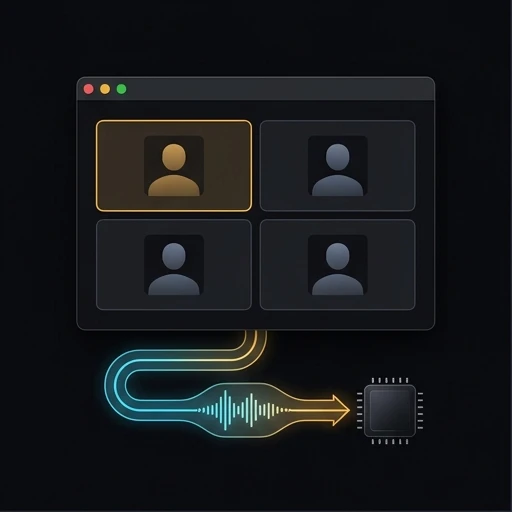
Audio capture mechanics separate Granola from Zoom AI Companion sharply. When recording meetings, Granola records audio differently than Zoom AI Companion. In speech decoding, Granola contrasts with Zoom AI Companion in acoustic privacy. Evaluating Granola against Zoom AI Companion verifies participant consent compliance. Between Granola and Zoom AI Companion, ingestion pipelines dictate confidentiality. Contrasting Granola with Zoom AI Companion secures executive briefings. Choosing Granola or Zoom AI Companion governs conversational intelligence.
Meeting takeaways generation contrasts Granola with Zoom AI Companion across cross-functional teams. For engineering debriefs, Granola and Zoom AI Companion parse technical details via differing model fine-tunings. Deciding between Granola and Zoom AI Companion improves operational sync. Comparing Granola against Zoom AI Companion verifies timestamped transcript accuracy. Reviewing Granola alongside Zoom AI Companion ensures prompt deliverable distribution. Weighing Granola with Zoom AI Companion accelerates project execution.
Audio turnaround latency differentiates Granola from Zoom AI Companion once conversations conclude. Whereas Granola executes speech processing via its stack, Zoom AI Companion manages audio synthesis through alternative pipelines. Reviewing Granola alongside Zoom AI Companion provides prompt meeting follow-ups. Benchmarking Granola against Zoom AI Companion confirms voice diarization accuracy. Selecting Granola or Zoom AI Companion speeds up organizational communication.
Network Resilience and Offline Access: Granola vs Zoom AI Companion
Network independence distinguishes Granola from Zoom AI Companion during travel. In disconnected operation, Granola and Zoom AI Companion behave in opposite ways. When working on flights, Granola contrasts with Zoom AI Companion in offline reliability. Evaluating Granola against Zoom AI Companion ensures continuous editing without WiFi. Between Granola and Zoom AI Companion, remote synchronization needs vary widely. Contrasting Granola with Zoom AI Companion prevents blocked workspaces. Choosing Granola or Zoom AI Companion guarantees offline continuity.
Disconnected stability separates Granola from Zoom AI Companion in daily transit. In tunnel conditions, Granola and Zoom AI Companion maintain distinct cache buffers. Deciding between Granola and Zoom AI Companion prevents stranded changes. Comparing Granola with Zoom AI Companion validates offline indexing. Reviewing Granola against Zoom AI Companion assures field workers. Weighing Granola alongside Zoom AI Companion guarantees document availability.
Zero-connectivity output distinguishes Granola from Zoom AI Companion during unexpected network blackouts. While Granola functions smoothly without web access, Zoom AI Companion reacts via different mechanisms. Assessing Granola against Zoom AI Companion prevents sudden application locks. Contrasting Granola with Zoom AI Companion validates full-text offline indexing. Deciding on Granola or Zoom AI Companion protects mobile productivity habits.
Device Compatibility and Ecosystem: Granola vs Zoom AI Companion
Cross-platform mobility divides Granola from Zoom AI Companion across workstations. In device coverage, Granola runs on macOS, Windows, whereas Zoom AI Companion supports macOS, Windows. Because Granola differs from Zoom AI Companion, organizations evaluate fleet hardware requirements. Assessing Granola alongside Zoom AI Companion ensures seamless multi-device parity. Between Granola and Zoom AI Companion, cross-platform sync alters user workflows. Contrasting Granola with Zoom AI Companion simplifies IT deployment. Choosing Granola or Zoom AI Companion matches computer setups.
Client resource consumption separates Granola from Zoom AI Companion during heavy multi-tasking. Under background sync, Granola and Zoom AI Companion place different demands on host memory. Deciding between Granola and Zoom AI Companion prevents computer slowdowns. Contrasting Granola with Zoom AI Companion proves graphical interface agility. Assessing Granola alongside Zoom AI Companion protects laptop thermal margins. Testing Granola against Zoom AI Companion keeps operating environments fluid.
External scripting adaptability divides Granola from Zoom AI Companion in automated build systems. While Granola interfaces with local shell hooks on macOS, Windows, Zoom AI Companion communicates via web hooks across macOS, Windows. Evaluating Granola alongside Zoom AI Companion avoids workflow friction. Contrasting Granola with Zoom AI Companion validates programmatic document export. Deciding between Granola and Zoom AI Companion enables clean automation pipelines.
Where Each Excels: Granola vs Zoom AI Companion
Flagship feature sets separate Granola from Zoom AI Companion in everyday production environments. When evaluating execution, Granola delivers Very polished meeting notepad with calendar-aware auto-detection, while Zoom AI Companion delivers Built into Zoom: no extra app for Zoom meetings, and included with paid Workplace plans. Assessing Granola alongside Zoom AI Companion matches features to project demands. Between Granola and Zoom AI Companion, key operational strengths define software satisfaction. Contrasting Granola against Zoom AI Companion demonstrates distinct advantages. Deciding on Granola or Zoom AI Companion elevates team performance.
Productivity dynamics contrast Granola with Zoom AI Companion for focused knowledge workers. When managing ongoing projects, Granola and Zoom AI Companion speed up distinct writing stages. Deciding between Granola and Zoom AI Companion shortens the learning curve. Comparing Granola alongside Zoom AI Companion illustrates navigation velocity. Reviewing Granola with Zoom AI Companion ensures tools match worker needs. Weighing Granola against Zoom AI Companion improves project velocity.
Performance highlights distinguish Granola from Zoom AI Companion when managing large knowledge bases. While Granola excels with its architecture, Zoom AI Companion provides specialized tools for its user base. Assessing Granola against Zoom AI Companion reveals unique workflow shortcuts. Comparing Granola with Zoom AI Companion ensures you capitalize on each tool’s best capabilities. Choosing Granola or Zoom AI Companion unlocks daily productivity gains.
Operational Boundaries: Granola vs Zoom AI Companion
Engineering limitations create practical boundaries between Granola and Zoom AI Companion. For Granola, verified constraints highlight Free plan shows only the last 30 days of meeting history, while Zoom AI Companion documents Free Basic is limited to summaries for 3 hosted meetings and 3 My Notes uses per month. Comparing Granola alongside Zoom AI Companion prepares teams for real-world tradeoffs. Between Granola and Zoom AI Companion, architectural boundaries impact custom extensions. Testing Granola against Zoom AI Companion confirms practical edge cases. Contrasting Granola with Zoom AI Companion avoids unexpected operational stalls. Choosing Granola or Zoom AI Companion guarantees realistic adoption plans.
Long-term stability dynamics divide Granola from Zoom AI Companion under growing document libraries. As workspaces reach gigabytes of content, Granola and Zoom AI Companion encounter divergent memory ceilings. Deciding between Granola and Zoom AI Companion safeguards system responsiveness. Comparing Granola against Zoom AI Companion validates background indexer overhead. Reviewing Granola alongside Zoom AI Companion keeps application load times low. Weighing Granola with Zoom AI Companion guarantees stable knowledge management.
Operational upkeep separates Granola from Zoom AI Companion across distributed teams. When configuring client updates, Granola and Zoom AI Companion require distinct deployment interventions. Reviewing Granola against Zoom AI Companion eliminates unexpected IT tickets. Contrasting Granola with Zoom AI Companion clarifies update rollback options. Deciding between Granola and Zoom AI Companion preserves operational sanity.
Subscription Models and Commercial Costs: Granola vs Zoom AI Companion
Commercial investments divide Granola from Zoom AI Companion for enterprise software buyers. In plan options, Granola offers Basic $0: unlimited meetings, but only the last 30 days of history are visible with business rates from $14 per user/month, whereas Zoom AI Companion features Basic (free): meeting summaries for 3 hosted meetings/month, My Notes 3 uses/month, 20 AI queries with rates from starting at $8.33/user/month. Assessing Granola alongside Zoom AI Companion clarifies total cost of operation across multi-year contracts. Between Granola and Zoom AI Companion, enterprise add-ons change per-seat licensing totals. Reviewing Granola against Zoom AI Companion maintains sound budget allocation. Deciding on Granola or Zoom AI Companion assures sustainable tooling costs.
Pricing predictability sets Granola apart from Zoom AI Companion during organizational restructuring. In auditing software renewals, Granola and Zoom AI Companion present different contract commitments. Deciding between Granola and Zoom AI Companion protects budget flexibility. Comparing Granola with Zoom AI Companion demonstrates sustainable licensing economics. Reviewing Granola alongside Zoom AI Companion keeps corporate spending aligned. Weighing Granola against Zoom AI Companion ensures prudent software investments.
Long-term capital efficiency distinguishes Granola from Zoom AI Companion for prudent tech organizations. While Granola covers routine workflows, Zoom AI Companion addresses advanced requirements in higher tiers. Reviewing Granola alongside Zoom AI Companion ensures prudent software spending. Comparing Granola against Zoom AI Companion validates five-year software economics. Choosing Granola or Zoom AI Companion protects capital allocation.
Decision Matrix: Which Should You Pick, Granola or Zoom AI Companion
Selecting between Granola and Zoom AI Companion reflects your organizational engineering principles. Adopt Granola if you emphasize cloud performance, highlight Very polished meeting notepad with calendar-aware auto-detection, and prefer transcripts and notes in a us-hosted aws virtual private cloud. Adopt Zoom AI Companion if you emphasize cloud performance, highlight Built into Zoom: no extra app for Zoom meetings, and included with paid Workplace plans, and prefer notes and transcripts saved in the user’s zoom account. Assessing Granola against Zoom AI Companion through typical team deliverables clarifies software ROI. Between Granola and Zoom AI Companion, a disciplined seven-day pilot settles the debate. Contrasting Granola with Zoom AI Companion delivers full operational confidence. Choosing Granola or Zoom AI Companion establishes your daily workflow foundation.
Synthesizing your findings on Granola and Zoom AI Companion ensures long-term operational peace of mind. Across active project duties, Granola and Zoom AI Companion shape team collaboration through differing lenses. Contrasting Granola against Zoom AI Companion prevents premature platform transitions. Evaluating Granola with Zoom AI Companion confirms high day-to-day engagement. Assessing Granola alongside Zoom AI Companion completes your software investigation. Deciding on Granola or Zoom AI Companion anchors your technological foundations.
Integrating either Granola or Zoom AI Companion provides stable cognitive support for demanding tasks. Because Granola masters its core niche while Zoom AI Companion masters its distinct features, both tools hold strong appeal. Contrasting Granola against Zoom AI Companion guarantees that your chosen software matches your cognitive style. Testing Granola alongside Zoom AI Companion removes guesswork from tool selection. Choosing Granola or Zoom AI Companion sets you up for creative success.
Piloting both Granola and Zoom AI Companion with real deliverables provides decisive technical proof. Because Granola and Zoom AI Companion handle daily data differently, side-by-side trials clarify ergonomic fit. Comparing Granola with Zoom AI Companion confirms application stability under actual user workloads. Between Granola and Zoom AI Companion, interface polish drives daily focus. Assessing Granola alongside Zoom AI Companion prevents future platform regrets. Choosing Granola or Zoom AI Companion delivers reliable long-term performance.
As you finalize your review of Granola and Zoom AI Companion, consider the technical ecosystem each tool supports. Integrating Granola and Zoom AI Companion into regular evaluation routines clarifies data custody. Contrasting Granola against Zoom AI Companion ensures you choose software that preserves your information. Between Granola and Zoom AI Companion, finding the right balance between simplicity and power is key. Piloting Granola with Zoom AI Companion confirms your operational strategy. Deciding on Granola or Zoom AI Companion establishes a resilient foundation for your future notes.

Where Oyma Fits In
Evaluating Granola and Zoom AI Companion reveals contrasting architectures. If neither Granola nor Zoom AI Companion fits your Mac requirements, Oyma delivers local CommonMark files without meeting bots.
Questions
How do Granola and Zoom AI Companion differ in storage?
Between Granola and Zoom AI Companion, storage formats differ fundamentally, while Oyma stores plain files on your Mac drive.
Can Granola and Zoom AI Companion run offline?
Contrasting Granola with Zoom AI Companion highlights different offline capabilities, while Oyma operates without an internet connection.
How does pricing compare between Granola and Zoom AI Companion?
Between Granola and Zoom AI Companion, licensing models establish distinct commercial tiers, while Oyma has no recurring subscriptions.
How does Oyma differ from Granola and Zoom AI Companion?
Unlike Granola and Zoom AI Companion, Oyma writes CommonMark files on disk, while Granola and Zoom AI Companion structure records differently.

Try Oyma alongside Granola and Zoom AI Companion
A private, local-first macOS alternative to Granola and Zoom AI Companion.