
Competitor Comparison
Granola vs Notion AI Meeting Notes
 Granola
 Notion AI Meeting Notes
Comparing Granola and Notion AI Meeting Notes technical specifications. Every Granola and Notion AI Meeting Notes spec is footnoted. Compare with Oyma vs Granola and Oyma vs Notion AI Meeting Notes on macOS.
choose granola if
- You prioritize very polished meeting notepad with calendar-aware auto-detection.
- You value cloud execution and transcripts and notes in a us-hosted aws virtual private cloud.
- You prefer Granola's operational architecture over Notion AI Meeting Notes's model.
choose notion ai meeting notes if
- You prioritize meeting notes land in the same workspace as team docs, projects and databases.
- You value cloud execution and audio uploaded to and stored on notion servers until deleted.
- You prefer Notion AI Meeting Notes's operational architecture over Granola's model.
At a glance
| Feature | Granola | Notion AI Meeting Notes |
|---|---|---|
| Where it runs | Granola: In the cloud(Granola where it runs source) | Notion AI Meeting Notes: In the cloud(Notion AI Meeting Notes where it runs source) |
| Storage format | Granola: Transcripts and notes in a US-hosted AWS Virtual Private Cloud; audio is not retained(Granola storage format source) | Notion AI Meeting Notes: Audio uploaded to and stored on Notion servers until deleted; the 10 most recent recordings cached locally; notes are Notion pages(Notion AI Meeting Notes storage format source) |
| Plain Markdown files | Granola: No(Granola plain markdown files source)No native file export; notes leave as Markdown copied to the clipboard or a CSV (secondary sources: hirekai.ai, happyscribe.com). | Notion AI Meeting Notes: No(Notion AI Meeting Notes plain markdown files source) |
| Meeting recording | Granola: Records without a bot(Granola meeting recording source) | Notion AI Meeting Notes: Records without a bot(Notion AI Meeting Notes meeting recording source) |
| On-device transcription | Granola: No(Granola on-device transcription source)Transcription by providers such as Deepgram and AssemblyAI. | Notion AI Meeting Notes: No(Notion AI Meeting Notes on-device transcription source) |
| AI integration | Granola: Enhanced notes (your notes + transcript), chat across meetings, recipes/templates and an MCP connector, using cloud models from OpenAI and Anthropic; 32 languages(Granola ai integration source) | Notion AI Meeting Notes: Notion AI summaries, action items and Q&A over meetings and workspace; 16 languages; speaker labels English only(Notion AI Meeting Notes ai integration source) |
| Works offline | Granola: No(Granola works offline source)Real-time transcription and AI run through cloud providers. | Notion AI Meeting Notes: No(Notion AI Meeting Notes works offline source)Recording uploads to Notion servers. |
| Wikilinks & backlinks | Granola: No(Granola wikilinks & backlinks source) | Notion AI Meeting Notes: Yes(Notion AI Meeting Notes wikilinks & backlinks source)Meeting notes are Notion pages; [[ links to pages. |
| Plugins / integrations | Granola: Integrations (Notion, HubSpot, Zapier, Affinity, Attio, Slack), API and full MCP on Business(Granola plugins / integrations source) | Notion AI Meeting Notes: Lives in the Notion workspace: databases, API, Custom Agents(Notion AI Meeting Notes plugins / integrations source) |
| Mobile apps | Granola: Yes(Granola mobile apps source) | Notion AI Meeting Notes: Yes(Notion AI Meeting Notes mobile apps source) |
| Platforms | Granola: macOS, Windows, iOS, Android, Apple Watch(Granola platforms source)Android launched 2026-07-01 and Apple Watch 2026-07-28 (dates from release notes at releasebot.io). | Notion AI Meeting Notes: macOS 13+, Windows, Web, iOS, Android(Notion AI Meeting Notes platforms source)System audio only on the desktop app; web and mobile capture the mic only. |
| Free plan | Granola: Basic $0: unlimited meetings, but only the last 30 days of history are visible(Granola free plan source) | Notion AI Meeting Notes: Not available on Free or Plus; requires Business or Enterprise(Notion AI Meeting Notes free plan source) |
| Paid plans from | Granola: Business: $14 per user/month(Granola paid plans from source)No annual price shown on the page. | Notion AI Meeting Notes: Business: $20 per seat/month billed yearly, $24 monthly(Notion AI Meeting Notes paid plans from source) |
Granola facts last verified 2026-10-03. Notion AI Meeting Notes facts last verified 2026-10-03.
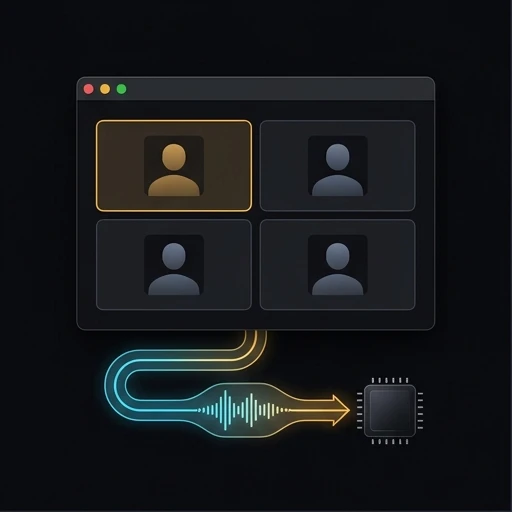
Architecture and System Design: Granola vs Notion AI Meeting Notes
Examining Granola against Notion AI Meeting Notes highlights contrasting software principles. While Granola and Notion AI Meeting Notes manage complex project information, their engineering designs diverge. Contrasting Granola alongside Notion AI Meeting Notes resolves technical debates. Between Granola and Notion AI Meeting Notes, software boundaries dictate maintenance overhead. Inspecting Granola with Notion AI Meeting Notes confirms operational integrity. Evaluating Granola against Notion AI Meeting Notes proves day-to-day durability. Picking Granola or Notion AI Meeting Notes delivers a reliable technical foundation.
Regarding system execution, Granola runs cloud, whereas Notion AI Meeting Notes executes cloud. Comparing Granola alongside Notion AI Meeting Notes highlights hardware utilization across local devices. While Granola targets macOS, Windows, Notion AI Meeting Notes supports macOS 13+, Windows. Evaluating Granola against Notion AI Meeting Notes clarifies day-to-day compute footprints. Between Granola and Notion AI Meeting Notes, background task handling dictates app smoothness. Testing Granola with Notion AI Meeting Notes ensures predictable application latency. Choosing Granola or Notion AI Meeting Notes matches team infrastructure.
During practical usage, Granola prioritizes The AI notepad for back-to-back meetings, while Notion AI Meeting Notes delivers Automate your meeting notes and follow-ups, no bot needed. Between Granola and Notion AI Meeting Notes, product goals guide daily team habits. Contrasting Granola with Notion AI Meeting Notes clarifies workspace ergonomics. Assessing Granola alongside Notion AI Meeting Notes ensures appropriate feature usage. Evaluating Granola against Notion AI Meeting Notes maintains high worker momentum. Deciding on Granola or Notion AI Meeting Notes establishes your operational cadence.
Document Custody: Granola vs Notion AI Meeting Notes
Document storage separates Granola from Notion AI Meeting Notes across core computing layers. Where Granola records information in Transcripts and notes in a US-hosted AWS Virtual Private Cloud, Notion AI Meeting Notes maintains records via Audio uploaded to and stored on Notion servers until deleted. Because Granola relies on internal databases and Notion AI Meeting Notes uses internal databases, they deliver contrasting portability levels. Between Granola and Notion AI Meeting Notes, file layout determines backup flexibility. Reviewing Granola alongside Notion AI Meeting Notes demonstrates data independence. Testing Granola against Notion AI Meeting Notes secures document longevity. Choosing Granola or Notion AI Meeting Notes anchors data governance.
Record ownership in Granola versus Notion AI Meeting Notes governs transition complexity. While Granola formats data within Transcripts and notes in a US-hosted AWS Virtual Private Cloud, Notion AI Meeting Notes structures notes inside Audio uploaded to and stored on Notion servers until deleted. Examining Granola alongside Notion AI Meeting Notes safeguards archival records. Choosing between Granola and Notion AI Meeting Notes avoids vendor database dependency. Benchmarking Granola with Notion AI Meeting Notes validates backup fidelity. Contrasting Granola against Notion AI Meeting Notes guarantees autonomous document preservation.
Historical file safety divides Granola from Notion AI Meeting Notes across professional careers. With Granola configuring Transcripts and notes in a US-hosted AWS Virtual Private Cloud and Notion AI Meeting Notes configuring Audio uploaded to and stored on Notion servers until deleted, notes outlive cloud platform migrations. Testing Granola with Notion AI Meeting Notes verifies multi-device checksum integrity. Evaluating Granola against Notion AI Meeting Notes confirms file immutability options. Choosing Granola or Notion AI Meeting Notes ensures absolute document longevity.
Meeting Recording and Audio Pipelines: Granola vs Notion AI Meeting Notes
Call capture implementations create clear operational boundaries between Granola and Notion AI Meeting Notes. When joining executive conversations, Granola deploys different audio listeners than Notion AI Meeting Notes. In converting audio to text, Granola contrasts with Notion AI Meeting Notes regarding privacy safeguards. Reviewing Granola against Notion AI Meeting Notes ensures client confidentiality alignment. Between Granola and Notion AI Meeting Notes, transcription engines alter audio transmission latency. Evaluating Granola alongside Notion AI Meeting Notes protects sensitive internal strategy. Deciding on Granola or Notion AI Meeting Notes directs meeting capture policy.
Call debrief synthesis in Granola versus Notion AI Meeting Notes alters post-meeting actions. For meeting notes, Granola and Notion AI Meeting Notes apply separate AI summarization architectures. Choosing between Granola and Notion AI Meeting Notes minimizes meeting friction. Contrasting Granola with Notion AI Meeting Notes confirms action item reliability. Evaluating Granola against Notion AI Meeting Notes verifies synthesis quality. Testing Granola alongside Notion AI Meeting Notes defends sensitive conversation records.
Audio turnaround latency differentiates Granola from Notion AI Meeting Notes once conversations conclude. Whereas Granola executes speech processing via its stack, Notion AI Meeting Notes manages audio synthesis through alternative pipelines. Reviewing Granola alongside Notion AI Meeting Notes provides prompt meeting follow-ups. Benchmarking Granola against Notion AI Meeting Notes confirms voice diarization accuracy. Selecting Granola or Notion AI Meeting Notes speeds up organizational communication.
Disconnected Operation and Airplane Mode: Granola vs Notion AI Meeting Notes
Network independence distinguishes Granola from Notion AI Meeting Notes during travel. In disconnected operation, Granola and Notion AI Meeting Notes behave in opposite ways. When working on flights, Granola contrasts with Notion AI Meeting Notes in offline reliability. Evaluating Granola against Notion AI Meeting Notes ensures continuous editing without WiFi. Between Granola and Notion AI Meeting Notes, remote synchronization needs vary widely. Contrasting Granola with Notion AI Meeting Notes prevents blocked workspaces. Choosing Granola or Notion AI Meeting Notes guarantees offline continuity.
Disconnected stability separates Granola from Notion AI Meeting Notes in daily transit. In tunnel conditions, Granola and Notion AI Meeting Notes maintain distinct cache buffers. Deciding between Granola and Notion AI Meeting Notes prevents stranded changes. Comparing Granola with Notion AI Meeting Notes validates offline indexing. Reviewing Granola against Notion AI Meeting Notes assures field workers. Weighing Granola alongside Notion AI Meeting Notes guarantees document availability.
Zero-connectivity output distinguishes Granola from Notion AI Meeting Notes during unexpected network blackouts. While Granola functions smoothly without web access, Notion AI Meeting Notes reacts via different mechanisms. Assessing Granola against Notion AI Meeting Notes prevents sudden application locks. Contrasting Granola with Notion AI Meeting Notes validates full-text offline indexing. Deciding on Granola or Notion AI Meeting Notes protects mobile productivity habits.
Hardware Support and Platform Coverage: Granola vs Notion AI Meeting Notes
Device ecosystem reach separates Granola from Notion AI Meeting Notes across enterprise fleets. While Granola serves users on macOS, Windows, Notion AI Meeting Notes addresses teams on macOS 13+, Windows. As Granola separates from Notion AI Meeting Notes, systems engineers assess client package maintenance. Reviewing Granola alongside Notion AI Meeting Notes validates operating system parity. Between Granola and Notion AI Meeting Notes, platform implementations dictate interface polish. Evaluating Granola against Notion AI Meeting Notes prevents hardware mismatches. Choosing Granola or Notion AI Meeting Notes accommodates multi-platform staff.
Hardware integration in Granola versus Notion AI Meeting Notes dictates peripheral support. On client machines, Granola and Notion AI Meeting Notes consume distinct system resources. Deciding between Granola and Notion AI Meeting Notes avoids operating system hurdles. Comparing Granola with Notion AI Meeting Notes clarifies mobile parity. Reviewing Granola against Notion AI Meeting Notes keeps workstation setups reliable. Weighing Granola alongside Notion AI Meeting Notes protects hardware investments.
Toolchain extensibility separates Granola from Notion AI Meeting Notes across connected developer environments. Whereas Granola connects with scripts on macOS, Windows, Notion AI Meeting Notes manages integrations throughout macOS 13+, Windows. Reviewing Granola against Notion AI Meeting Notes verifies workflow compatibility. Benchmarking Granola alongside Notion AI Meeting Notes eliminates cross-device synchronization latency. Selecting between Granola and Notion AI Meeting Notes finalizes your ecosystem plan.
Flagship Features: Granola vs Notion AI Meeting Notes
Key functional edges distinguish Granola from Notion AI Meeting Notes across common user workflows. Specifically, Granola excels with Very polished meeting notepad with calendar-aware auto-detection, whereas Notion AI Meeting Notes counters with Meeting notes land in the same workspace as team docs, projects and databases. Reviewing Granola against Notion AI Meeting Notes clarifies distinct software value propositions. Between Granola and Notion AI Meeting Notes, unique selling points attract specific personas. Evaluating Granola alongside Notion AI Meeting Notes ensures appropriate tooling choices. Choosing Granola or Notion AI Meeting Notes unlocks specialized capabilities.
Functional advantages separate Granola from Notion AI Meeting Notes across daily tasks. In production use, Granola and Notion AI Meeting Notes optimize distinct productivity metrics. Deciding between Granola and Notion AI Meeting Notes clarifies user onboarding. Comparing Granola with Notion AI Meeting Notes exposes workflow acceleration. Reviewing Granola against Notion AI Meeting Notes prevents feature duplication. Weighing Granola alongside Notion AI Meeting Notes drives optimal software utilization.
Workspace scalability highlights key differences between Granola and Notion AI Meeting Notes across organizational archives. In deep relational structures, Granola and Notion AI Meeting Notes manage index caches with differing memory footprints. Reviewing Granola alongside Notion AI Meeting Notes assures snappy UI navigation. Comparing Granola against Notion AI Meeting Notes demonstrates sustained search stability. Choosing Granola or Notion AI Meeting Notes maintains high operational throughput.
System Trade-Offs and Architectural Boundaries: Granola vs Notion AI Meeting Notes
Platform boundaries expose structural compromises across Granola and Notion AI Meeting Notes. In Granola, established constraints involve Free plan shows only the last 30 days of meeting history, a friction point Notion AI Meeting Notes sidesteps through different designs. In Notion AI Meeting Notes, verified limitations involve Requires Notion Business ($20/seat/month billed yearly) or Enterprise, prompting Granola users to evaluate mitigation steps. Reviewing Granola against Notion AI Meeting Notes sets pragmatic operational expectations. Between Granola and Notion AI Meeting Notes, recognized trade-offs influence ongoing administration. Assessing Granola with Notion AI Meeting Notes prevents implementation roadblocks. Deciding on Granola or Notion AI Meeting Notes minimizes software debt.
Engineering compromises divide Granola from Notion AI Meeting Notes in operational scale. In heavy databases, Granola and Notion AI Meeting Notes experience different scaling bottlenecks. Deciding between Granola and Notion AI Meeting Notes minimizes administrative maintenance. Comparing Granola with Notion AI Meeting Notes validates backup complexity. Reviewing Granola against Notion AI Meeting Notes manages team frustrations. Weighing Granola alongside Notion AI Meeting Notes maintains software health.
Maintenance overhead differentiates Granola from Notion AI Meeting Notes over multi-year deployments. While Granola requires specific administrative attention, Notion AI Meeting Notes presents separate maintenance routines. Assessing Granola against Notion AI Meeting Notes prevents unforeseen operational costs. Testing Granola alongside Notion AI Meeting Notes prepares teams for real-world maintenance. Choosing Granola or Notion AI Meeting Notes ensures manageable long-term upkeep.
Subscription Models and Commercial Costs: Granola vs Notion AI Meeting Notes
Commercial licensing establishes financial differences between Granola and Notion AI Meeting Notes. While Granola offers Basic $0: unlimited meetings, but only the last 30 days of history are visible with tiers from $14 per user/month, Notion AI Meeting Notes provides Not available on Free or Plus with tiers from $20 per seat/month billed yearly, $24 monthly. Budgeting between Granola and Notion AI Meeting Notes requires calculating seat scaling over multi-year periods. Evaluating Granola against Notion AI Meeting Notes keeps software expenditures predictable. Between Granola and Notion AI Meeting Notes, add-on licensing alters total cost. Contrasting Granola with Notion AI Meeting Notes prevents surprise invoices. Choosing Granola or Notion AI Meeting Notes ensures fiscal sustainability.
Cost trajectory distinguishes Granola from Notion AI Meeting Notes as organizational headcounts expand. For fiscal forecasting, Granola and Notion AI Meeting Notes display divergent pricing curves. Choosing between Granola and Notion AI Meeting Notes maximizes tool expenditure. Contrasting Granola with Notion AI Meeting Notes confirms unit licensing metrics. Assessing Granola against Notion AI Meeting Notes aligns procurement goals. Testing Granola alongside Notion AI Meeting Notes secures optimal return on every purchased license.
Comprehensive ownership costs divide Granola from Notion AI Meeting Notes across full organizational lifecycles. Where Granola plans incorporate standard features, Notion AI Meeting Notes packages tools according to tier boundaries. Assessing Granola against Notion AI Meeting Notes prevents licensing surprises. Contrasting Granola with Notion AI Meeting Notes clarifies true operational costs. Deciding between Granola and Notion AI Meeting Notes guarantees sustainable IT financing.
Recommendation: Granola or Notion AI Meeting Notes
Selecting between Granola and Notion AI Meeting Notes depends on your primary workspace objectives. Choose Granola if you require cloud execution, prioritize Very polished meeting notepad with calendar-aware auto-detection, and want transcripts and notes in a us-hosted aws virtual private cloud. Choose Notion AI Meeting Notes if you require cloud execution, prioritize Meeting notes land in the same workspace as team docs, projects and databases, and want audio uploaded to and stored on notion servers until deleted. Testing Granola against Notion AI Meeting Notes with actual project notes confirms your optimal software environment. Between Granola and Notion AI Meeting Notes, piloting both tools clarifies productivity differences. Contrasting Granola with Notion AI Meeting Notes over seven days verifies the best match. Deciding on Granola or Notion AI Meeting Notes completes your software selection.
Final assessment between Granola and Notion AI Meeting Notes confirms your daily operational stack. In routine work, Granola and Notion AI Meeting Notes deliver contrasting user experiences. Evaluating Granola against Notion AI Meeting Notes prevents future platform migrations. Comparing Granola with Notion AI Meeting Notes guarantees workflow satisfaction. Reviewing Granola alongside Notion AI Meeting Notes concludes your technical evaluation. Choosing Granola or Notion AI Meeting Notes anchors your team workflow.
Committing to either Granola or Notion AI Meeting Notes influences organizational effectiveness over the long haul. Whereas Granola leads within its engineering focus, Notion AI Meeting Notes shines across its dedicated workflows. Reviewing Granola against Notion AI Meeting Notes verifies tight alignment with team practices. Running a comparative test of Granola and Notion AI Meeting Notes guarantees assured implementation. Selecting Granola or Notion AI Meeting Notes builds a dependable technical bedrock.
Piloting both Granola and Notion AI Meeting Notes with real deliverables provides decisive technical proof. Because Granola and Notion AI Meeting Notes handle daily data differently, side-by-side trials clarify ergonomic fit. Comparing Granola with Notion AI Meeting Notes confirms application stability under actual user workloads. Between Granola and Notion AI Meeting Notes, interface polish drives daily focus. Assessing Granola alongside Notion AI Meeting Notes prevents future platform regrets. Choosing Granola or Notion AI Meeting Notes delivers reliable long-term performance.
Moving forward with either Granola or Notion AI Meeting Notes gives your team a clear path toward structured knowledge management. While Granola excels in its specialized operational envelope, Notion AI Meeting Notes delivers robust utility across its focus areas. Assessing Granola against Notion AI Meeting Notes confirms that your digital infrastructure aligns with your privacy and productivity standards. Between Granola and Notion AI Meeting Notes, both options provide modern capabilities for demanding operators. Evaluating Granola alongside Notion AI Meeting Notes provides complete peace of mind. Choosing Granola or Notion AI Meeting Notes sets your team up for lasting success.

Where Oyma Fits In
Analyzing Granola against Notion AI Meeting Notes clarifies software tradeoffs. Alongside Granola and Notion AI Meeting Notes, Oyma offers local-first macOS note-taking and botless call capture.
Questions
How do Granola and Notion AI Meeting Notes differ in storage?
Evaluating Granola alongside Notion AI Meeting Notes demonstrates different custody models, whereas Oyma avoids database lock-in on Mac.
Can Granola and Notion AI Meeting Notes run offline?
Evaluating Granola alongside Notion AI Meeting Notes shows contrasting disconnected access, whereas Oyma never mandates online servers.
How does pricing compare between Granola and Notion AI Meeting Notes?
Analyzing Granola against Notion AI Meeting Notes clarifies multi-year expenses, while Oyma avoids recurring software licensing fees.
How does Oyma differ from Granola and Notion AI Meeting Notes?
Unlike Granola and Notion AI Meeting Notes, Oyma writes CommonMark files on disk, while Granola and Notion AI Meeting Notes structure records differently.

Try Oyma alongside Granola and Notion AI Meeting Notes
A private, local-first macOS alternative to Granola and Notion AI Meeting Notes.
No account needed. Intel Mac build