
Competitor Comparison
Fathom vs tl;dv
 Fathom
 tl;dv
Comparing Fathom and tl;dv technical specifications. Every Fathom and tl;dv spec is footnoted. Compare with Oyma vs Fathom and Oyma vs tl;dv on macOS.
choose fathom if
- You prioritize genuinely generous free plan: unlimited recordings, transcripts and summaries.
- You value cloud execution and fathom cloud.
- You prefer Fathom's operational architecture over tl;dv's model.
choose tl;dv if
- You prioritize built for team collaboration: shared libraries, multi-meeting reports and coaching.
- You value cloud execution and tl.
- You prefer tl;dv's operational architecture over Fathom's model.
At a glance
| Feature | Fathom | tl;dv |
|---|---|---|
| Where it runs | Fathom: In the cloud(Fathom where it runs source) | tl;dv: In the cloud(tl;dv where it runs source) |
| Storage format | Fathom: Fathom cloud(Fathom storage format source) | tl;dv: tl;dv cloud(tl;dv storage format source) |
| Plain Markdown files | Fathom: No(Fathom plain markdown files source)unverified: export formats not checked. | tl;dv: No(tl;dv plain markdown files source)unverified: export formats not checked. |
| Meeting recording | Fathom: Bot or no bot(Fathom meeting recording source)Fathom 3.0 (2026-04-15) lets each meeting use a bot or bot-free capture; bot-free is Mac-only, Windows "coming soon". | tl;dv: Bot or no bot(tl;dv meeting recording source)Bot for Zoom, Meet and Teams; a bot-free desktop recorder ("NO BOT REQUIRED"). |
| On-device transcription | Fathom: No(Fathom on-device transcription source) | tl;dv: No(tl;dv on-device transcription source) |
| AI integration | Fathom: Ask Fathom (account-wide chat), custom summaries, AI scorecards and coaching, CRM sync(Fathom ai integration source) | tl;dv: AI notes, multi-meeting reports, coaching, CRM integration(tl;dv ai integration source) |
| Works offline | Fathom: No(Fathom works offline source)Cloud processing. | tl;dv: No(tl;dv works offline source)Cloud processing; the mobile app can record offline and sync later. |
| Wikilinks & backlinks | Fathom: No(Fathom wikilinks & backlinks source) | tl;dv: No(tl;dv wikilinks & backlinks source) |
| Plugins / integrations | Fathom: Public API, CRM sync, ChatGPT/Claude integrations, Slack(Fathom plugins / integrations source) | tl;dv: Zapier on Pro; native Salesforce and HubSpot on Business(tl;dv plugins / integrations source) |
| Mobile apps | Fathom: Yes(Fathom mobile apps source) | tl;dv: Yes(tl;dv mobile apps source) |
| Platforms | Fathom: macOS, Windows, iOS(Fathom platforms source)Records meetings on Mac and Windows; iOS app for in-person conversations; bot-free capture is Mac-only for now. | tl;dv: Web, Desktop app, iOS, Android(tl;dv platforms source) |
| Free plan | Fathom: Free forever: unlimited recordings and transcriptions, instant AI call summaries; Ask Fathom limited(Fathom free plan source) | tl;dv: Free €0(tl;dv free plan source)unverified: free-plan limits not shown to text extraction; a competitor (claap.io) reports 90-day retention and 10 lifetime AI summaries. |
| Paid plans from | Fathom: Premium: $16/month billed annually, $20 monthly(Fathom paid plans from source) | tl;dv: Pro: €18/month billed annually (€216/yr), €29 monthly(tl;dv paid plans from source)Prices shown in EUR; USD pricing unverified. |
Fathom facts last verified 2026-10-03. tl;dv facts last verified 2026-10-03.
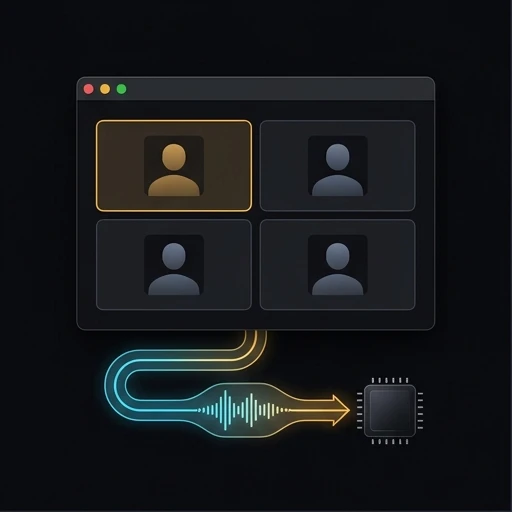
Architecture and System Design: Fathom vs tl;dv
Analyzing Fathom against tl;dv reveals divergent system choices. While Fathom and tl;dv support demanding workloads, their computing models differ fundamentally. Assessing Fathom alongside tl;dv illuminates software tradeoffs. Between Fathom and tl;dv, core runtime decisions influence application speed. Evaluating Fathom against tl;dv confirms system responsiveness under load. Comparing Fathom with tl;dv validates technical ROI. Choosing Fathom or tl;dv establishes your technical standard.
In routine operation, Fathom delivers cloud, while tl;dv runs cloud. Reviewing Fathom with tl;dv clarifies computational tradeoffs. While Fathom optimizes for macOS, Windows, tl;dv targets Web, Desktop app. Assessing Fathom against tl;dv protects workstation responsiveness. Between Fathom and tl;dv, software architecture governs task execution. Testing Fathom alongside tl;dv avoids system resource lag. Choosing Fathom or tl;dv establishes your software foundation.
During practical usage, Fathom prioritizes AI notetaking that is out of this world, while tl;dv delivers The AI Notetaker built for Team Collaboration. Between Fathom and tl;dv, product goals guide daily team habits. Contrasting Fathom with tl;dv clarifies workspace ergonomics. Assessing Fathom alongside tl;dv ensures appropriate feature usage. Evaluating Fathom against tl;dv maintains high worker momentum. Deciding on Fathom or tl;dv establishes your operational cadence.
Storage Formats and Data Sovereignty: Fathom vs tl;dv
Storage persistence divides Fathom and tl;dv completely. For Fathom, records reside as Fathom cloud, utilizing internal databases. In contrast, tl;dv maintains storage as tl, utilizing internal databases. Between Fathom and tl;dv, file accessibility shapes disaster recovery. Comparing Fathom alongside tl;dv confirms data longevity guarantees. Assessing Fathom against tl;dv establishes backup routines. Choosing Fathom or tl;dv governs document custody.
Document custody in Fathom versus tl;dv impacts migration friction. While Fathom isolates notes in Fathom cloud, tl;dv manages notes in tl. Reviewing Fathom alongside tl;dv protects multi-year research. Deciding between Fathom and tl;dv prevents proprietary schema lock-in. Testing Fathom with tl;dv confirms export fidelity. Comparing Fathom against tl;dv ensures independent file durability.
Historical file safety divides Fathom from tl;dv across professional careers. With Fathom configuring Fathom cloud and tl;dv configuring tl, notes outlive cloud platform migrations. Testing Fathom with tl;dv verifies multi-device checksum integrity. Evaluating Fathom against tl;dv confirms file immutability options. Choosing Fathom or tl;dv ensures absolute document longevity.
Call Capture and Transcription Models: Fathom vs tl;dv
Call capture implementations create clear operational boundaries between Fathom and tl;dv. When joining executive conversations, Fathom deploys different audio listeners than tl;dv. In converting audio to text, Fathom contrasts with tl;dv regarding privacy safeguards. Reviewing Fathom against tl;dv ensures client confidentiality alignment. Between Fathom and tl;dv, transcription engines alter audio transmission latency. Evaluating Fathom alongside tl;dv protects sensitive internal strategy. Deciding on Fathom or tl;dv directs meeting capture policy.
Meeting intelligence in Fathom versus tl;dv changes post-call reviews. In generating summaries, Fathom and tl;dv implement distinct model prompts. Deciding between Fathom and tl;dv avoids attendee friction. Comparing Fathom with tl;dv validates action item extraction. Reviewing Fathom against tl;dv ensures prompt accuracy. Weighing Fathom alongside tl;dv protects proprietary discussions.
Speaker diarization quality separates Fathom from tl;dv during multi-party calls. In identifying contributors, Fathom and tl;dv apply distinct voice separation algorithms. Testing Fathom alongside tl;dv verifies multi-speaker attribution accuracy. Comparing Fathom with tl;dv ensures dependable meeting attribution. Choosing between Fathom and tl;dv preserves conversational accountability.
Offline Usability: Fathom vs tl;dv
Zero-network reliability distinguishes Fathom from tl;dv in remote workspaces. When working beyond cellular reach, Fathom operates under different principles than tl;dv. During remote travel, Fathom contrasts with tl;dv in maintaining instant file access. Reviewing Fathom alongside tl;dv prevents document editing lockouts. Between Fathom and tl;dv, data synchronization requirements determine offline freedom. Testing Fathom against tl;dv confirms local search speeds. Deciding on Fathom or tl;dv preserves daily productivity.
Disconnected stability separates Fathom from tl;dv in daily transit. In tunnel conditions, Fathom and tl;dv maintain distinct cache buffers. Deciding between Fathom and tl;dv prevents stranded changes. Comparing Fathom with tl;dv validates offline indexing. Reviewing Fathom against tl;dv assures field workers. Weighing Fathom alongside tl;dv guarantees document availability.
Remote productivity divides Fathom from tl;dv whenever internet connections drop. While Fathom operates under disconnected conditions, tl;dv responds with alternative behaviors. Evaluating Fathom against tl;dv prevents surprise data lockouts. Comparing Fathom with tl;dv confirms local search availability. Choosing Fathom or tl;dv secures offline working habits.
Multi-Device Parity: Fathom vs tl;dv
Device ecosystem reach separates Fathom from tl;dv across enterprise fleets. While Fathom serves users on macOS, Windows, tl;dv addresses teams on Web, Desktop app. As Fathom separates from tl;dv, systems engineers assess client package maintenance. Reviewing Fathom alongside tl;dv validates operating system parity. Between Fathom and tl;dv, platform implementations dictate interface polish. Evaluating Fathom against tl;dv prevents hardware mismatches. Choosing Fathom or tl;dv accommodates multi-platform staff.
Desktop integration ergonomics divide Fathom from tl;dv across modern operating systems. In window management, Fathom and tl;dv respond to keyboard shortcuts through contrasting paradigms. Choosing between Fathom and tl;dv maximizes authoring focus. Comparing Fathom alongside tl;dv verifies clipboard management. Reviewing Fathom with tl;dv ensures smooth daily interactions. Weighing Fathom against tl;dv enhances workstation efficiency.
Ecosystem versatility distinguishes Fathom from tl;dv when connecting external tools. While Fathom integrates with external utilities on macOS, Windows, tl;dv coordinates workflows across Web, Desktop app. Assessing Fathom against tl;dv ensures compatibility with team hardware. Testing Fathom alongside tl;dv prevents unexpected sync delays. Deciding between Fathom and tl;dv completes your platform evaluation.
Core Capabilities and Functional Advantages: Fathom vs tl;dv
Key functional edges distinguish Fathom from tl;dv across common user workflows. Specifically, Fathom excels with Genuinely generous free plan: unlimited recordings, transcripts and summaries, whereas tl;dv counters with Built for team collaboration: shared libraries, multi-meeting reports and coaching. Reviewing Fathom against tl;dv clarifies distinct software value propositions. Between Fathom and tl;dv, unique selling points attract specific personas. Evaluating Fathom alongside tl;dv ensures appropriate tooling choices. Choosing Fathom or tl;dv unlocks specialized capabilities.
Productivity dynamics contrast Fathom with tl;dv for focused knowledge workers. When managing ongoing projects, Fathom and tl;dv speed up distinct writing stages. Deciding between Fathom and tl;dv shortens the learning curve. Comparing Fathom alongside tl;dv illustrates navigation velocity. Reviewing Fathom with tl;dv ensures tools match worker needs. Weighing Fathom against tl;dv improves project velocity.
Performance highlights distinguish Fathom from tl;dv when managing large knowledge bases. While Fathom excels with its architecture, tl;dv provides specialized tools for its user base. Assessing Fathom against tl;dv reveals unique workflow shortcuts. Comparing Fathom with tl;dv ensures you capitalize on each tool’s best capabilities. Choosing Fathom or tl;dv unlocks daily productivity gains.
Known Trade-Offs: Fathom vs tl;dv
Engineering limitations create practical boundaries between Fathom and tl;dv. For Fathom, verified constraints highlight Bot-free capture is Mac-only so far, while tl;dv documents Cloud-only processing. Comparing Fathom alongside tl;dv prepares teams for real-world tradeoffs. Between Fathom and tl;dv, architectural boundaries impact custom extensions. Testing Fathom against tl;dv confirms practical edge cases. Contrasting Fathom with tl;dv avoids unexpected operational stalls. Choosing Fathom or tl;dv guarantees realistic adoption plans.
Database scaling limits separate Fathom from tl;dv when handling tens of thousands of records. When linking complex datasets, Fathom and tl;dv exhibit contrasting index memory usage. Deciding between Fathom and tl;dv prevents sudden application slowdowns. Comparing Fathom alongside tl;dv confirms stable multi-year performance. Reviewing Fathom with tl;dv protects project investments. Weighing Fathom against tl;dv maintains high software efficiency.
Administrative complexity sets Fathom apart from tl;dv for self-reliant professionals. In managing sync and software upgrades, Fathom and tl;dv impose different regular chores. Assessing Fathom alongside tl;dv prevents software maintenance burnout. Comparing Fathom against tl;dv validates update reliability. Choosing Fathom or tl;dv keeps system upkeep painless.
Commercial Pricing: Fathom vs tl;dv
Commercial investments divide Fathom from tl;dv for enterprise software buyers. In plan options, Fathom offers Free forever: unlimited recordings and transcriptions, instant AI call summaries with business rates from $16/month billed annually, $20 monthly, whereas tl;dv features Free €0 with rates from €18/month billed annually (€216/yr), €29 monthly. Assessing Fathom alongside tl;dv clarifies total cost of operation across multi-year contracts. Between Fathom and tl;dv, enterprise add-ons change per-seat licensing totals. Reviewing Fathom against tl;dv maintains sound budget allocation. Deciding on Fathom or tl;dv assures sustainable tooling costs.
Expense scaling creates financial separation between Fathom and tl;dv over multi-year horizons. As staff rosters increase, Fathom and tl;dv calculate licensing through different unit mechanics. Choosing between Fathom and tl;dv keeps software overhead lean. Contrasting Fathom with tl;dv highlights team license economics. Assessing Fathom against tl;dv preserves capital efficiency. Testing Fathom alongside tl;dv maximizes tooling effectiveness.
Comprehensive ownership costs divide Fathom from tl;dv across full organizational lifecycles. Where Fathom plans incorporate standard features, tl;dv packages tools according to tier boundaries. Assessing Fathom against tl;dv prevents licensing surprises. Contrasting Fathom with tl;dv clarifies true operational costs. Deciding between Fathom and tl;dv guarantees sustainable IT financing.
Definitive Verdict: Fathom vs tl;dv
Making the final choice between Fathom and tl;dv hinges on architectural alignment. Select Fathom if you demand cloud execution, prefer Genuinely generous free plan: unlimited recordings, transcripts and summaries, and seek fathom cloud. Select tl;dv if you demand cloud execution, prefer Built for team collaboration: shared libraries, multi-meeting reports and coaching, and seek tl. Testing Fathom alongside tl;dv with representative team documents proves which interface reduces friction. Between Fathom and tl;dv, running concurrent tests confirms long-term suitability. Evaluating Fathom against tl;dv eliminates migration doubt. Deciding on Fathom or tl;dv solidifies your workspace choice.
Concluding comparisons between Fathom and tl;dv solidifies your regular production toolkit. Throughout daily duties, Fathom and tl;dv provide divergent user interactions. Contrasting Fathom against tl;dv protects against subsequent software re-evaluations. Assessing Fathom with tl;dv delivers operational contentment. Examining Fathom alongside tl;dv wraps up your tooling study. Deciding on Fathom or tl;dv cements your workspace workflow.
Adopting either Fathom or tl;dv establishes the operational cadence of your digital workstation. While Fathom demonstrates mastery in its technical paradigm, tl;dv leads in its chosen operational model. Evaluating Fathom with tl;dv guarantees complete synergy with your research habits. Piloting Fathom alongside tl;dv confirms the optimal user interface choice. Deciding on Fathom or tl;dv ensures long-term software fulfillment.
Ultimately, choosing between Fathom and tl;dv is a matter of matching tool design to personal workflow. Where Fathom streamlines execution through its architecture, tl;dv delivers specialized power through its unique features. Evaluating Fathom against tl;dv ensures you invest in software that amplifies your natural strengths. Between Fathom and tl;dv, both platforms represent capable modern engineering. Testing Fathom alongside tl;dv clarifies which platform best serves your multi-year vision. Picking Fathom or tl;dv finalizes your software selection.
Finalizing your assessment of Fathom and tl;dv sets the stage for productive future work. Comparing Fathom against tl;dv through verified specifications validates your technical strategy. Between Fathom and tl;dv, understanding core tradeoffs guarantees confident software adoption. Evaluating Fathom alongside tl;dv ensures seamless integration into existing routines. Testing Fathom with tl;dv confirms long-term satisfaction. Choosing Fathom or tl;dv establishes your optimal operational foundation.

Where Oyma Fits In
Weighing Fathom alongside tl;dv exposes distinct custody models. For teams moving beyond Fathom and tl;dv, Oyma writes standard CommonMark on your Mac.
Questions
How do Fathom and tl;dv differ in storage?
Analyzing Fathom against tl;dv confirms distinct file structures, while Oyma maintains direct folder access on macOS.
Can Fathom and tl;dv run offline?
Compared to Fathom and tl;dv, Oyma provides complete offline writing, whereas Fathom and tl;dv apply separate offline rules.
How does pricing compare between Fathom and tl;dv?
Analyzing Fathom against tl;dv clarifies multi-year expenses, while Oyma avoids recurring software licensing fees.
How does Oyma differ from Fathom and tl;dv?
Evaluating Fathom and tl;dv alongside Oyma reveals that Oyma runs on-device, while Fathom and tl;dv differ in processing.

Try Oyma alongside Fathom and tl;dv
A private, local-first macOS alternative to Fathom and tl;dv.